
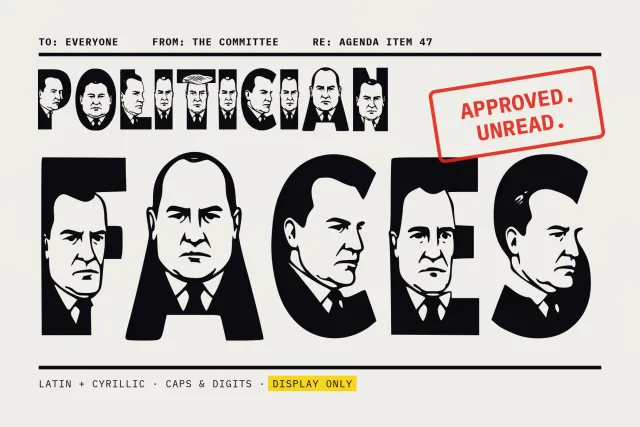

The identified font and matching candidates will appear here.
or drag and drop it right hereWhat font is this?
A free font finder for the moment you have seen a typeface and need its name. Type the same words below to compare them against real fonts side by side, or upload a picture and let the font detector read the letterforms for you. And here is the secret most font-identifier sites won’t tell you: you often don’t need the name at all — YoFont can recreate the style as a complete working font, yours to install, in up to 60 languages.
Need a unique font for your project? Generate a real one with AI in about a minute — up to 60 languages, TTF/OTF/WOFF/WOFF2, first font free. AI font generator →
Frequently asked questions
How can I identify a font from a picture?
Upload the picture. The detector finds the text, reads the letter shapes and returns the closest matching font names with the class and weight of each. Latin, Cyrillic, Greek, Arabic, Hebrew, Devanagari and CJK samples all work.
Is there a free font identifier?
Yes, this page. Identifying a font from a photo, a screenshot or a logo costs nothing and needs no account.
How do I find a font name from an image?
Crop to one or two words with distinctive letters, keep them sharp and level, then upload. The names come back in seconds. If the lettering was drawn by hand for one brand, no catalog has it, and the page says so instead of guessing.
What if I can’t find the exact font?
Recreate it. Send the same picture to image to font and YoFont builds a complete font in that style, with a full character set, in up to 60 languages.
How to find a font from an image — step by step
- Upload a screenshot, photo or logo. Sharp letters, shot straight on. One or two words are enough.
- The detector finds the text and reads every letter. It sorts the sample into serif, sans, script or display, then scores the closest real fonts.
- Compare the candidates with your sample. Check the a, the g and the Q first. One different letter rules a match out.
- Take the name, or recreate the font. No match? Send the same picture to image to font and YoFont builds a complete font in that style.
Every designer knows the moment: a poster, a package or a website uses a typeface you love, and nothing in your font menu looks like it. Typing “what the font is this” into a search engine returns forums full of guesses. The faster route is to find the font from an image directly — here is how that works on this page, from screenshot to answer.
The whole flow is free and needs no account. And unlike a plain reverse-lookup, it does not dead-end when the honest answer is “this typeface is not in any catalog” — which, as you will see below, happens far more often than people expect.
Identify a font from an image in any script
Here is the quiet limitation of almost every tool in this category: they are built for Latin letters. Feed a typical font identifier Cyrillic, Arabic or Chinese and it either refuses, or confidently “matches” your Ж against a K. The letter-anatomy checklist above is Latin-shaped too — Arabic has no lowercase, Chinese has no Q, Devanagari hangs from a headline instead of sitting on a baseline. Different scripts need different eyes.
YoFont was built multilingual from day one, so the identify-font-from-image workflow here is not Latin-only. Upload a sample in Cyrillic, Greek, Arabic, Hebrew, Devanagari, Chinese, Japanese or Korean and the same input–output contract holds: picture in, style analysis out — and, when you want it, a working font in that style back. Nine writing systems are supported end to end, and a recreated family can cover up to 60 languages at once.
This matters even for purely Latin projects. Suppose you do name the typeface from a photo — then discover it ships with no Cyrillic, patchy Greek and no Arabic at all, while your product launches in six markets. Identification answers “what is it?”; only recreation answers “can I actually use this style everywhere I need it?”
When the font can’t be named
A surprisingly large share of the type people photograph has no name to find. Logo lettering is usually drawn by hand for one client and never released. Studios routinely license a font and then modify it — narrower, rounder, custom letters — so the original no longer quite matches. Signage may predate digital type entirely, and plenty of fonts from defunct foundries or one-off student projects simply never made it into any searchable catalog. Every classic identifier hits the same wall here: no name exists, so no lookup can return it.
This is where this page stops being a dead end. Upload the same picture to image to font and instead of a name you get the thing you actually wanted: a new, original font in that style. Not a picture of letters — a real font family with a full character set, kerning and ligatures, covering up to 60 languages, exported as TTF, OTF, WOFF and WOFF2 so it installs on desktop and embeds on the web.
Often that beats finding the name. A successful identification hands you someone else’s font — possibly expensive, possibly licensed per-seat or per-pageview, possibly missing half the languages you need. A recreated style is built for you: consistent weights, editable glyphs, and a commercial licence that covers client work and paid products. For a brand asset, “inspired by what I saw, built for what I ship” is usually the stronger position.