






Эхний фонт үнэгүй · Карт хэрэггүй · TTF/OTF/WOFF/WOFF2
60
languages in one family, across 9 writing systems
< 1 min
from a sentence to installable font files
TTF
plus OTF, WOFF and WOFF2 — real files that work offline
Three ways to start
Say what you want in plain words — “heavy geometric sans with squared corners”. Best when the font exists only in your head.
ХО фонт үүсгэгч → 02 Start from a pictureA logo, a poster, a photo of a sign. Best when you have seen the style and want the whole alphabet in it.
Зургаас фонт хий → 03 Start from your handwritingPhotograph a few lines you wrote. Best when the font has to be unmistakably your own style.
Гар бичмэлээ фонт болго →How to create your AI font in 30 seconds
60 хэл · 9 бичгийн систем · нэг өгүүлбэр
Өөрийн фонтоо үүсгэ — үнэгүй
Хүссэн фонтоо тайлбарла, эсвэл зураг байршуул. Урьдчилсан харагдац биш, суулгаж болох жинхэнэ фонт файл авна.
TTF · OTF · WOFF · WOFF2 Thin · Regular · Bold Бүх глиф засварлагдана Эхний фонт үнэгүй
Фонтоо тайлбарла (эсвэл жишээ зураг хавсарга) — бүрэн үсгийн загвар минут орчимд бэлэн болно. Эхний фонт үнэгүй.
Дизайн программгүйгээр өөрийн фонтоо хий: хүссэн үсгийн загвараа нэг өгүүлбэрээр тайлбарла, эсвэл зураг, өөрийн гар бичмэлээс эхэл. YoFont бүх тэмдэгтийн багц, гурав хүртэлх жин, 9 бичгийн систем дээрх 60 хүртэлх хэлийг зураад жинхэнэ TTF, OTF, WOFF, WOFF2 файл өгнө. Глиф бүр Студид засварлагдсан хэвээр. Эхний фонт үнэгүй бөгөөд карт шаардахгүй.
Энэ долоо хоногт эрэлттэй
Хэрхэн ажилладаг вэ
Мэдрэмж, товч даалгавар эсвэл жишээ зураг — энгийн үг хангалттай.
Бүх тэмдэгтийн багц зурагдаж, минут орчимд ажиллах фонт болж угсрагдана.
Студид аль ч глифийг тохируулаад TTF/OTF/WOFF/WOFF2 татах, эсвэл CDN-ээс шигтгэнэ.
Түгээмэл асуултууд
Өөрийн фонтоо яаж үнэгүй үүсгэх вэ?
Дээрх нүдэнд тайлбарлаад үүсгэ — эхний фонт үнэгүй бөгөөд карт асуухгүй. Текстийн зураг биш, суулгаж болох TTF, OTF, WOFF, WOFF2 файл авна.
Үсгийн загварын мэдлэгтэй байх шаардлагатай юу?
Үгүй. Фонт ямар мэдрэмжтэй байх ёстой тухай өөрийн бодолтой байхад л хангалттай. Ноорог нь бүрэн байдлаар ирнэ; таны үүрэг бол аль үсэг буруу байгааг анзаарч засах бөгөөд Студи үүнийг глиф тус бүрээр хийх боломж олгоно.
Фонтоо арилжааны зорилгоор ашиглаж болох уу?
Тийм, арилжааны лицензтэйгээр — энэ нь лого, сав баглаа боодол, захиалгат ажил, төлбөртэй бүтээгдэхүүнийг хамарна. Хувийн болон арилжааны бус хэрэглээнд нэмэлт юу ч хэрэггүй. Та суудаг, офлайн ажилласаар байх жинхэнэ файл авна.
Гар бичмэл эсвэл зургаас фонт хийж болох уу?
Тийм — хоёулаа зураг хавсаргасан нэг ижил үүсгэгч. Гар бичмэлийнхээ хэдэн мөрийг зурагт ав, эсвэл лого, зурагт хуудас байршуулахад тэр хэв маяг бүрэн гэр бүл болж өргөжнө.
Ямар форматын файл авах вэ?
Фонт бүр TTF, OTF, WOFF, WOFF2 болж экспортлогдох бөгөөд вэбд шигтгэх CDN дээрх @font-face хаягууд бас өгөгдөнө.
Дизайны программгүйгээр өөрийн фонтоо үнэгүй хэрхэн үүсгэх вэ
Урьд нь үсгийн загвар хийх гэдэг нь урт шавь ажлын урлаг байлаа: үсэг бүрийг зур, хос бүрд зай тавь, хэмжээ бүрд турша. Тэр зам одоо ч байгаа бөгөөд хэрэв та үсгийн дизайн сурах гэж байгаа бол одоо ч хамгийн шилдэг нь. Харин өөр хэнд ч байхгүй фонт л хэрэгтэй бол дөрвөн алхам таныг тэнд хүргэнэ.
- Ямар мэдрэмж төрүүлэх ёстойг хэл. Яруу найргаас тодорхой байдал дээр. «Нарийсгасан гротеск, бүдүүн, хавтгай төгсгөл, шахуу зай» гэдэг нь «орчин үеийн, цэвэрхэн»-ээс хурц үр дүн өгнө, учир нь эдгээр үг бүр нь ноорог биелүүлж чадах шийдвэр юм.
- Хэл ба жингээ үүсгэхээсээ өмнө сонго. Латин, кириллийг хамт зурсан гэр бүл харьцаагаа дараа нь наасан гэр бүлээс илүү сайн барина. Гурав хүртэлх жин, 9 бичигт 60 хүртэлх хэл — нэг удаагийн гүйлтээр.
- Ноорогоо зүгээр харах биш, унш. «АБВ» биш, жинхэнэ өгүүлбэр бич. Үсгийн загварын асуудал үсгүүдийн хоорондох хэмнэлд амьдардаг, бодитоор хэрэглэдэг үг тань үүнийг дараалсан цагаан толгойноос хурдан харуулна.
- Таалагдаагүй үсгээ зассаны дараа экспортол. Глиф бүрийг тусад нь дахин зурах, дахин үүсгэх боломжтой. Таны татаж авах зүйл бол энгийн фонт гэр бүл — TTF, OTF, WOFF, WOFF2 — аль ч машин дээр суугаад үүрд офлайн ажиллана.
Энд «үнэгүй» гэдэг нь үнэндээ юу гэсэн үг вэ
Эхний фонт үнэгүй, карт ч шаардахгүй. Энэ бол усан тэмдэгтэй дээж ч биш, фонтын зураг ч биш, бүрэн гүйцэд гэр бүл: файлуудыг суулгаад хэрэглэ. «Үнэгүй захиалгат фонт үүсгэгч»-ийн ихэнх үр дүн аль нь ч биш — текстийг чинь зураг болгон буулгаад тэгээд зогсдог.
Эхнийхийн дараа глифээ хэрэгцээгээрээ худалдан авах, эсвэл багц авах бөгөөд фонт төлбөртэй ажилд орвол арилжааны лиценз авна. Үнийн бүх түүх ийм л байна: суудлын тоо гэж үгүй, аль хэдийн татсан файл дуусах хугацаагүй, та явсан ч юу ч ажиллахаа болихгүй.
Фонт үүсгэгч ба гараар хийх хоёр
Гараар гэдэг нь Glyphs, FontForge эсвэл RoboFont, дээр нь тэдгээрийг сайн эзэмшихэд шаардагдах уншлага. Том, жижиг үсэг, тоо, цэг таслалыг хамарсан ганц жин нь ажлаа мэддэг хүний нэг долоо хоногийн анхаарал шаардсан хөдөлмөр, сурч байгаа хүнд нэлээд илүү. Кирилл эсвэл грекийг нэмбэл хугацаа хоёр дахин нэмэгдэнэ.
Үүсгэх нь аль хэсэг нь үнэтэй байхыг эргүүлдэг. Та бүрэн гэр бүлээс эхэлж, цагаа илэрхий зүйлд биш, дүгнэлтээ буруу зүйлд зарцуулна. Урлаг алга болохгүй — g хэт битүү байна гэж шийдэх нь мөн л таны эрх — гэхдээ тэр шийдвэрийг өдрүүдийн зураасны дараа биш, хэдхэн минутад гаргана.
YoFont, Calligraphr эсвэл FontStruct: аль нь тохирох вэ
Ижил хайлт, гурван өөр ажил. Calligraphr таны гар бичмэлийг хэвлэсэн загварт бөглөж, сканердаж, байршуулснаар фонт болгодог. FontStruct үсгийг тор дээр тоосгоор угсардаг. YoFont бүхэл гэр бүлийг нэг өгүүлбэр эсвэл зургаас, таны хүссэн хэл, жин бүрээр зураад, дараа нь ганц үсгийг засах Студи өгдөг. Аль нь хаана зогсохыг хүснэгт харуулна.
| YoFont | Calligraphr | FontStruct | |
|---|---|---|---|
| Эхлэх цэг | Өгүүлбэр, зураг эсвэл гар бичмэл | Гараар бөглөх хэвлэсэн загвар | Тор дээр байрлуулах тоосго |
| Зурах шаардлагатай юу | Үгүй. Хүсвэл ганц үсгийг засна | Тийм, тэмдэгт бүрийг | Тийм, тэмдэгт бүрийг |
| Нэг гүйлтэд хэдэн хэл | 60 хэл, 9 бичиг | Өөрийн зурсан бүхэн | Өөрийн угсарсан бүхэн |
| Жин | Нэг тайлбараас Thin, Regular, Bold | Загвар тутамд нэг | Угсралт тутамд нэг |
| Үр дүн | TTF, OTF, WOFF, WOFF2, дээр нь CDN холбоос | TTF ба OTF | TTF |
| Юунд тохирох | Брэндийн фонт, олон хэлт гэр бүл, тайлбарлаж эсвэл үзүүлж чадах хэв маяг | Зурах нь өөрт тань таатай бол өөрийн гар бичмэлийн фонт | Пиксел ба модуль бүтэцтэй дэлгэцийн үсгийн загвар |
Эндээс тус бүр нэг өгүүлбэрээр хийсэн хоёр фонт
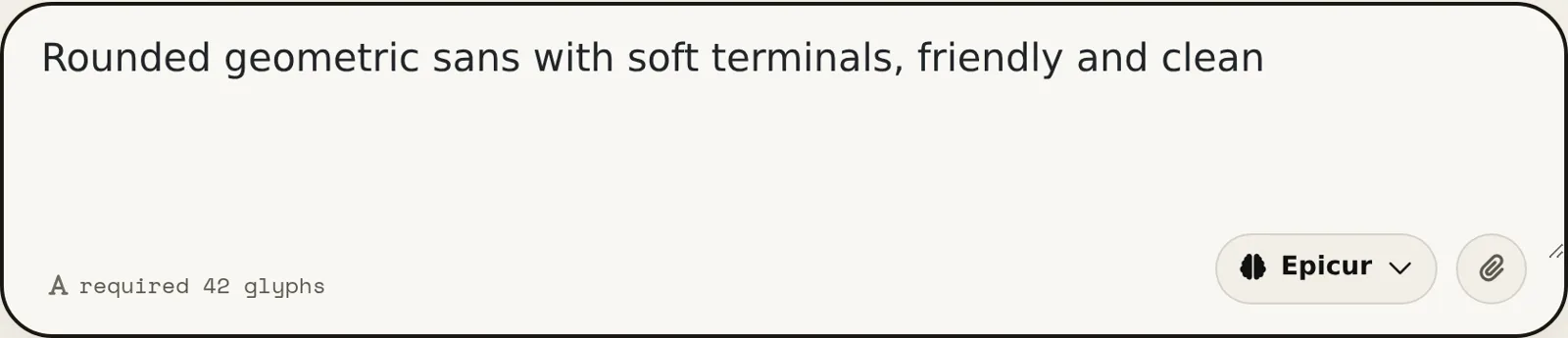
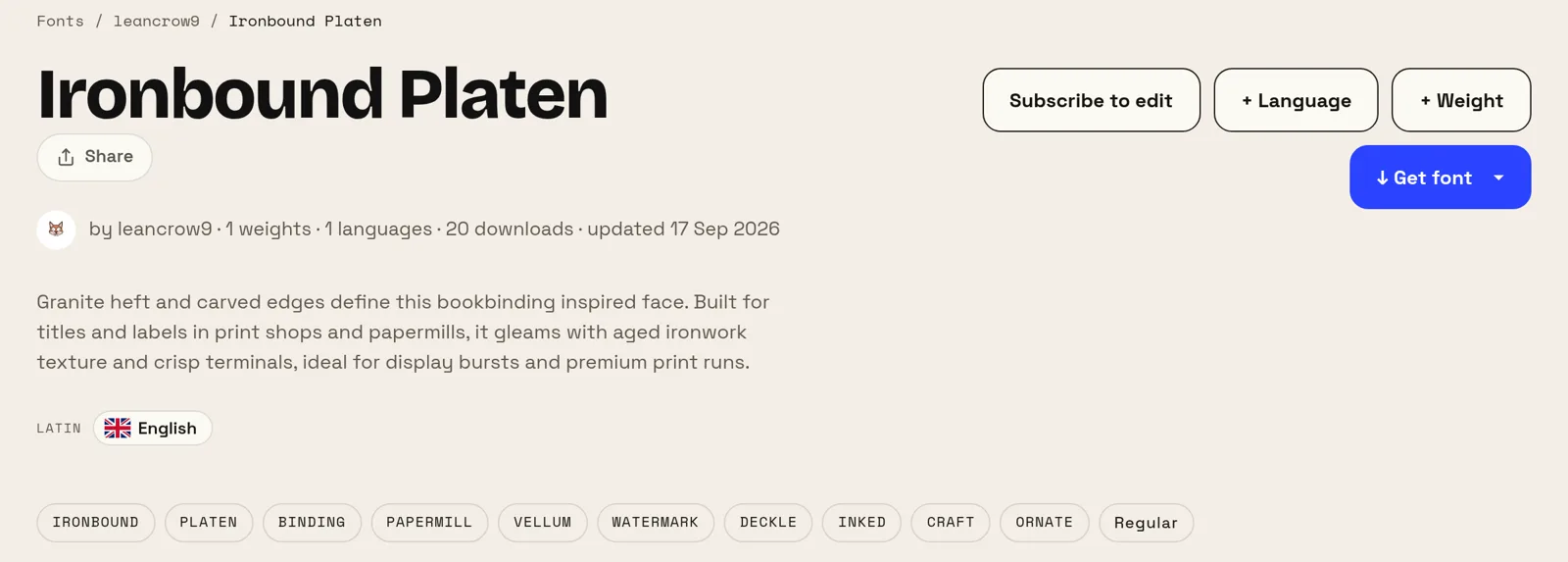
Доорх хоёр тайлбар хоёулаа зохиогчдын өөрсдийнх нь үг, зөвхөн нэг үсгийн алдааг зассан. Аль нь ч үсгийн загвар, жин, x-өндрийг нэрлээгүй бөгөөд хоёр фонт хоёулаа сайт дээр нээлттэй байгаа тул бидний үгэнд итгэхийн оронд үр дүнг нь та өөрөө дүгнэж болно.
Эхнийхийг таван үг, хоёр дахийг арван гурван үг бүтээв. Хоёр үр дүнг ялгаж буй зүйл бол тайлбарын урт биш, харин юуг нэрлэсэн нь: хэрэглээ (тэмдэглэл, телевизийн суваг) ба халуун хүйтэн (энгийн, дулаан). Фонт юунд зориулагдсан, ямар мэдрэмж төрүүлэхийг хэл, нэр томьёог хэрэгсэлд нь үлдээ.
Өөрийн фонт хэзээ хөдөлмөрөө хариулах вэ
Хамгийн тод үр өгөөжийг жижиг брэндүүд авдаг. Лого, сайт, хэвлэлд сайн арилжааны гэр бүл лицензлэх нь жил бүр бодит мөнгө зарцуулна, нөгөө хувилбар нь — Google-ийн үнэгүй фонт — таны өрсөлдөгчдийн бас хэрэглэдэг үсгийн загвар. Зөвхөн танд зориулж байгаа фонт хоёр асуудлыг нэг дор арилгана.
Мөн мөнгөөр шийдэгдэхгүй нэг асуудлыг шийднэ: хамрах хүрээ. Хэрэв таны бүтээгдэхүүн орос, грек, япон хэлээр ярьдаг бол гурвуулангийнх нь зохицсон гэр бүл ховор, үнэтэй. Бодитоор нийтэлдэг бичгүүддээ нэг гэр бүлийг зурах нь энэ ажлын үнэхээр худалдаж авахад хэцүү хэсэг юм.
Өөр фонт үүсгэгчид
Кирилл Хятад Япон Солонгос Еврей Грек Хинди (Деванагари) Олон хэлт Гар бичмэлээ фонт болго Зургаас фонт хий Вэбсайтдаа зориулсан захиалгат фонт Фонт хийгч — минутын дотор фонт хий ХО фонт — текст эффект биш, жинхэнэ үсгийн загвар Логоны фонт үүсгэгч — логогоос чинь бүтэн фонт Фонт засварлагч онлайн — өөрийн фонтоо нээгээд өөрчил TTF засварлагч онлайн — .ttf файлаа нээгээд браузер дээрээ өөрчил OTF засварлагч онлайн — .otf файлаа нээгээд глифүүдийг нь засна WOFF засварлагч — урьдчилан хөрвүүлэлгүй вэб фонт засах WOFF2 засварлагч — .woff2 файлаа нээгээд браузер дээрээ засна API / MCP