






ฟอนต์แรกฟรี · ไม่ต้องใช้บัตรเครดิต · TTF/OTF/WOFF/WOFF2
60
languages in one family, across 9 writing systems
< 1 min
from a sentence to installable font files
TTF
plus OTF, WOFF and WOFF2 — real files that work offline
Three ways to start
Say what you want in plain words — “heavy geometric sans with squared corners”. Best when the font exists only in your head.
ตัวสร้างฟอนต์ AI → 02 Start from a pictureA logo, a poster, a photo of a sign. Best when you have seen the style and want the whole alphabet in it.
ทำฟอนต์จากรูปภาพ → 03 Start from your handwritingPhotograph a few lines you wrote. Best when the font has to be unmistakably your own style.
เปลี่ยนลายมือของคุณให้เป็นฟอนต์ →How to create your AI font in 30 seconds
60 ภาษา · 9 ระบบการเขียน · หนึ่งประโยค
สร้างฟอนต์ของคุณเอง — ฟรี
อธิบายฟอนต์ที่คุณต้องการ หรืออัปโหลดรูป คุณจะได้ไฟล์ฟอนต์จริงที่ติดตั้งได้ ไม่ใช่ภาพตัวอย่าง
TTF · OTF · WOFF · WOFF2 Thin · Regular · Bold แก้ไขได้ทุกตัวอักษร ฟอนต์แรกฟรี
อธิบายฟอนต์ที่ต้องการ (หรือแนบภาพอ้างอิง) แล้วฟอนต์ทั้งชุดจะพร้อมในเวลาราวหนึ่งนาที ฟอนต์แรกฟรี
ทำฟอนต์ของคุณเองโดยไม่ต้องใช้โปรแกรมออกแบบ: อธิบายฟอนต์ที่ต้องการในหนึ่งประโยค หรือเริ่มจากรูปภาพหรือลายมือของคุณ YoFont วาดชุดอักขระทั้งหมด สูงสุดสามน้ำหนัก และสูงสุด 60 ภาษาใน 9 ระบบการเขียน แล้วส่งไฟล์ TTF, OTF, WOFF และ WOFF2 จริงให้คุณ ทุกตัวอักษรยังแก้ไขได้ใน Studio ฟอนต์แรกฟรีและไม่ต้องใช้บัตร
มาแรงในสัปดาห์นี้
ขั้นตอนการทำงาน
อารมณ์ โจทย์ หรือรูปอ้างอิง — เขียนเป็นภาษาธรรมดาก็พอ
ชุดอักขระทั้งหมดถูกวาดและประกอบเป็นฟอนต์ที่ใช้งานได้ภายในราวหนึ่งนาที
ปรับตัวอักษรใดก็ได้ใน Studio แล้วดาวน์โหลด TTF/OTF/WOFF/WOFF2 หรือฝังจาก CDN
คำถามที่พบบ่อย
สร้างฟอนต์ของตัวเองฟรีได้อย่างไร?
อธิบายในช่องด้านบนแล้วกดสร้าง — ฟอนต์แรกไม่มีค่าใช้จ่ายและไม่ถามหาบัตร คุณจะได้ไฟล์ TTF, OTF, WOFF และ WOFF2 ที่ติดตั้งได้ ไม่ใช่ภาพข้อความ
ต้องมีความรู้ด้านออกแบบตัวอักษรไหม?
ไม่ต้อง คุณแค่ต้องมีความคิดว่าฟอนต์ควรให้ความรู้สึกอย่างไร ร่างแรกมาครบชุดอยู่แล้ว หน้าที่ของคุณคือสังเกตว่าตัวไหนยังไม่ใช่แล้วแก้ตัวนั้น ซึ่ง Studio ให้คุณทำได้ทีละตัวอักษร
ใช้ฟอนต์ในงานเชิงพาณิชย์ได้ไหม?
ได้ ด้วยสิทธิ์ใช้งานเชิงพาณิชย์ ซึ่งครอบคลุมโลโก้ บรรจุภัณฑ์ งานลูกค้า และสินค้าที่ขาย ส่วนการใช้ส่วนตัวและไม่แสวงหากำไรไม่ต้องซื้อเพิ่ม คุณได้ไฟล์จริงที่ติดตั้งและใช้งานออฟไลน์ได้ตลอด
ทำฟอนต์จากลายมือหรือจากรูปภาพแทนได้ไหม?
ได้ทั้งสองแบบ — เป็นตัวสร้างเดียวกันเพียงแนบรูปเข้าไป ถ่ายรูปลายมือสักไม่กี่บรรทัด หรืออัปโหลดโลโก้หรือโปสเตอร์ แล้วสไตล์นั้นจะถูกขยายเป็นตระกูลฟอนต์เต็มชุด
ได้ไฟล์รูปแบบใดบ้าง?
ทุกฟอนต์ส่งออกเป็น TTF, OTF, WOFF และ WOFF2 พร้อม URL แบบ @font-face บน CDN สำหรับฝังในเว็บ
สร้างฟอนต์ของตัวเองฟรี โดยไม่ต้องใช้โปรแกรมออกแบบ
การทำแบบอักษรเคยเป็นงานฝีมือที่ต้องฝึกยาว วาดทุกตัวอักษร จัดระยะทุกคู่ ทดสอบทุกขนาด เส้นทางนั้นยังอยู่ และยังดีที่สุดถ้าสิ่งที่คุณอยากเรียนคือการออกแบบตัวพิมพ์ แต่ถ้าคุณแค่ต้องการฟอนต์ที่ไม่มีใครมีเหมือน สี่ขั้นตอนพาคุณไปถึง
- บอกว่ามันควรให้ความรู้สึกแบบไหน รูปธรรมชนะบทกวี “กรอเทสก์แบบแคบ หนา ปลายเส้นตัดตรง ระยะชิด” ให้ผลคมกว่า “โมเดิร์นและสะอาด” เพราะทุกคำในนั้นคือการตัดสินใจที่ดราฟต์เอาไปทำต่อได้
- เลือกภาษาและน้ำหนักก่อนกดสร้าง ตระกูลที่วาดละตินกับซีริลลิกไปพร้อมกันรักษาสัดส่วนได้ดีกว่าการมาต่อทีหลัง สูงสุดสามน้ำหนัก สูงสุด 60 ภาษา ครอบคลุม 9 ระบบการเขียน ในรอบเดียว
- อ่านดราฟต์ ไม่ใช่แค่มองผ่านๆ พิมพ์ประโยคจริง ไม่ใช่ “ABC” ปัญหาของแบบอักษรอยู่ที่จังหวะระหว่างตัวอักษร และคำที่คุณใช้จริงจะเผยมันเร็วกว่าการไล่ตัวอักษรตามลำดับ
- แก้ตัวที่ขัดตา แล้วส่งออก ทุกกลิฟวาดใหม่หรือสร้างใหม่ทีละตัวได้ สิ่งที่คุณดาวน์โหลดคือฟอนต์แฟมิลีปกติ TTF, OTF, WOFF และ WOFF2 ที่ติดตั้งได้ทุกเครื่องและใช้ออฟไลน์ได้ตลอดไป
“ฟรี” ที่นี่หมายถึงอะไรกันแน่
ฟอนต์แรกฟรี ไม่ต้องผูกบัตร มันคือตระกูลที่สมบูรณ์ ไม่ใช่ตัวอย่างติดลายน้ำ และไม่ใช่ภาพของฟอนต์ ติดตั้งไฟล์แล้วใช้ได้เลย ผลค้นหา “free custom font generator” ส่วนใหญ่ไม่ใช่ทั้งสองอย่าง มันเรนเดอร์ข้อความของคุณเป็นภาพแล้วจบแค่นั้น
หลังจากตัวแรก คุณซื้อกลิฟตามที่ต้องการ หรือรับแพ็กเกจ และเพิ่มไลเซนส์เชิงพาณิชย์ถ้าฟอนต์ไปอยู่ในงานที่มีรายได้ เรื่องราคามีแค่นี้ ไม่มีการนับที่นั่ง ไม่มีวันหมดอายุของไฟล์ที่ดาวน์โหลดไปแล้ว และไม่มีอะไรหยุดทำงานถ้าคุณเลิกใช้
เครื่องมือทำฟอนต์ กับการลงมือวาดเอง
วาดเองหมายถึง Glyphs, FontForge หรือ RoboFont บวกกับการอ่านเพื่อใช้มันให้เป็น น้ำหนักเดียวที่ครอบคลุมตัวใหญ่ตัวเล็ก ตัวเลขและเครื่องหมายวรรคตอน กินเวลาหนึ่งสัปดาห์เต็มๆ สำหรับคนที่รู้อยู่แล้วว่ากำลังทำอะไร และนานกว่านั้นมากสำหรับคนที่เพิ่งเริ่ม เพิ่มซีริลลิกหรือกรีกเข้าไปก็คูณสอง
การสร้างด้วยเครื่องสลับว่าส่วนไหนแพง คุณเริ่มจากตระกูลที่สมบูรณ์ แล้วใช้วิจารณญาณไปกับสิ่งที่ผิด แทนที่จะใช้เวลาไปกับสิ่งที่เห็นๆ อยู่แล้ว งานฝีมือไม่ได้หายไป การตัดสินว่า g ปิดเกินไปยังเป็นหน้าที่คุณ แต่คุณตัดสินภายในไม่กี่นาที แทนที่จะหลังจากวาดมันใหม่สามรอบ
YoFont, Calligraphr หรือ FontStruct เลือกตัวไหนดี
ค้นคำเดียวกัน แต่งานคนละแบบ Calligraphr เปลี่ยนลายมือของคุณเป็นฟอนต์ผ่านเทมเพลตที่พิมพ์ออกมาเขียน สแกน แล้วอัปโหลด FontStruct ต่อตัวอักษรจากบล็อกบนตาราง ส่วน YoFont ร่างทั้งตระกูลจากประโยคเดียวหรือภาพเดียว ในทุกภาษาและทุกน้ำหนักที่คุณสั่ง แล้วส่ง Studio ให้คุณไปแก้ตัวอักษรทีละตัว ตารางข้างล่างบอกว่าแต่ละตัวหยุดตรงไหน
| YoFont | Calligraphr | FontStruct | |
|---|---|---|---|
| จุดเริ่มต้น | ประโยค ภาพ หรือลายมือคุณ | เทมเพลตพิมพ์ออกมาเขียนเอง | บล็อกที่วางบนตาราง |
| ต้องวาดเองไหม | ไม่ แก้ทีละตัวได้ถ้าอยาก | ใช่ ทุกอักขระ | ใช่ ทุกอักขระ |
| ภาษาในรอบเดียว | 60 ภาษา 9 ระบบการเขียน | เท่าที่วาดเอง | เท่าที่ต่อเอง |
| น้ำหนัก | Thin, Regular และ Bold จากพรอมต์เดียว | หนึ่งต่อเทมเพลต | หนึ่งต่อการสร้าง |
| ไฟล์ที่ได้ | TTF, OTF, WOFF และ WOFF2 พร้อมลิงก์ CDN | TTF และ OTF | TTF |
| เหมาะกับ | ฟอนต์แบรนด์ ตระกูลหลายภาษา สไตล์ที่บรรยายหรือชี้ให้ดูได้ | ฟอนต์ลายมือตัวเอง เมื่อคุณสนุกกับการเขียน | ฟอนต์พิกเซลและฟอนต์พาดหัวแบบโมดูลาร์ |
สองฟอนต์ที่เกิดที่นี่ จากประโยคเดียวต่อหนึ่งตัว
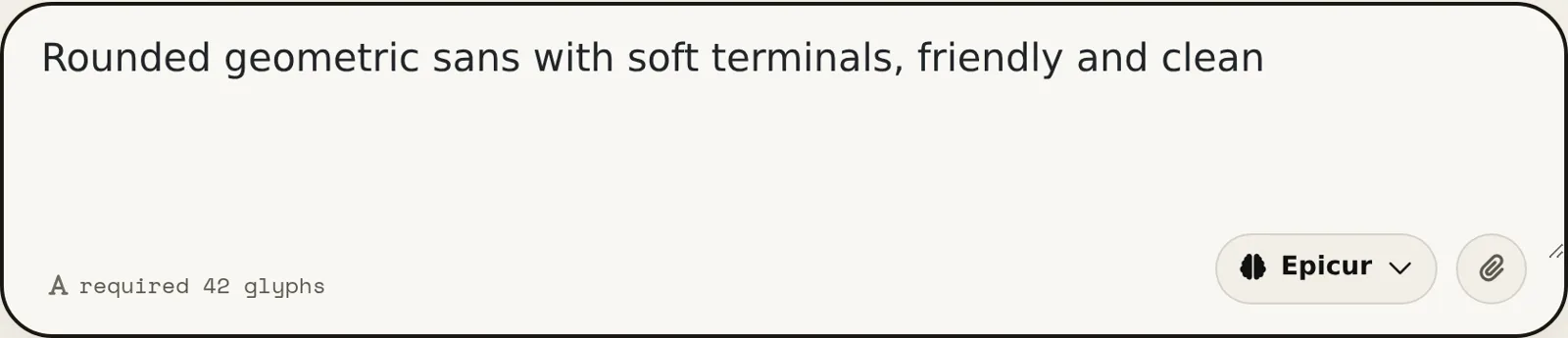
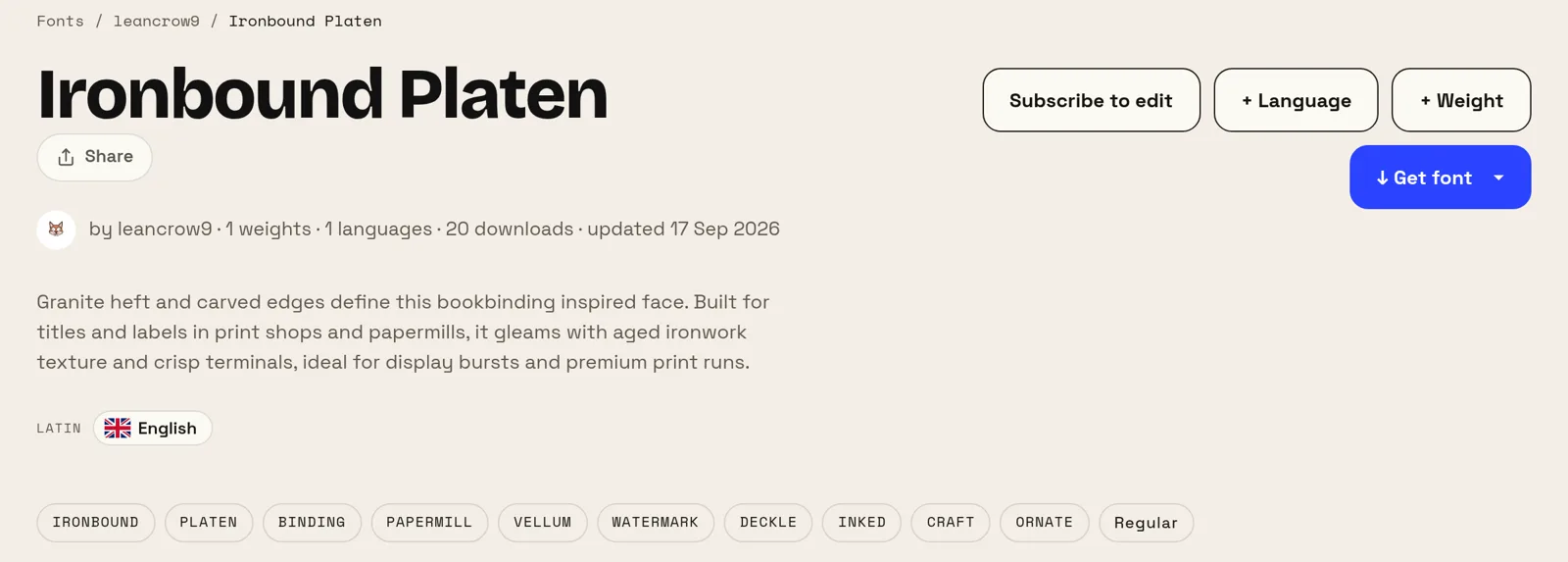
พรอมต์ทั้งสองข้างล่างเป็นคำของผู้เขียนเอง แก้แค่คำพิมพ์ผิดหนึ่งจุด ไม่มีอันไหนเอ่ยชื่อแบบอักษร น้ำหนัก หรือ x-height เลย และฟอนต์ทั้งคู่เปิดสาธารณะอยู่บนเว็บ คุณจึงตัดสินผลลัพธ์เองได้ ไม่ต้องเชื่อคำเรา
ห้าคำสร้างตัวแรก สิบสามคำสร้างตัวที่สอง สิ่งที่แยกผลลัพธ์สองอันนี้ไม่ใช่ความยาวของพรอมต์ แต่คือสิ่งที่มันระบุ คือการใช้งาน (โน้ต ช่องทีวี) และอุณหภูมิ (เรียบง่าย อบอุ่น) บอกว่าฟอนต์นี้ไว้ทำอะไรและควรให้ความรู้สึกแบบไหน ส่วนศัพท์เทคนิคปล่อยให้เป็นหน้าที่เครื่องมือ
ฟอนต์ของตัวเองคุ้มค่าเหนื่อยตรงไหน
แบรนด์เล็กได้ผลตอบแทนชัดที่สุด การซื้อไลเซนส์ฟอนต์ดีๆ สำหรับโลโก้ เว็บ และงานพิมพ์ เป็นเงินก้อนจริงทุกปี ส่วนทางเลือกอย่างฟอนต์ Google ฟรี ก็คือแบบอักษรที่คู่แข่งคุณใช้อยู่เหมือนกัน ฟอนต์ที่มีอยู่เพื่อคุณคนเดียวลบปัญหาทั้งสองข้อพร้อมกัน
มันยังแก้ปัญหาที่เงินแก้ไม่ได้ด้วย คือความครอบคลุม ถ้าสินค้าคุณพูดรัสเซีย กรีก และญี่ปุ่น ฟอนต์ที่เข้ากันครบทั้งสามหายากและแพง การวาดตระกูลเดียวข้ามทุกระบบการเขียนที่คุณใช้จริง คือส่วนที่หาซื้อยากที่สุด
ตัวสร้างฟอนต์อื่น ๆ
ซีริลลิก จีน ญี่ปุ่น เกาหลี ฮีบรู กรีก ฮินดี (เทวนาครี) หลายภาษา เปลี่ยนลายมือของคุณให้เป็นฟอนต์ ทำฟอนต์จากรูปภาพ ฟอนต์เฉพาะสำหรับเว็บไซต์ของคุณ ตัวทำฟอนต์ — สร้างฟอนต์ ในไม่กี่นาที ฟอนต์ AI — ฟอนต์จริง ไม่ใช่เอฟเฟกต์ข้อความ ตัวสร้างฟอนต์จากโลโก้ — ฟอนต์ทั้งชุด จากโลโก้ของคุณ แก้ไขฟอนต์ออนไลน์ — เปิดฟอนต์ของคุณเอง แล้วเปลี่ยนมัน แก้ไขฟอนต์ TTF ออนไลน์ — เปิดไฟล์ .ttf แล้วแก้ในเบราว์เซอร์ แก้ไขฟอนต์ OTF ออนไลน์ — เปิดไฟล์ .otf แล้วแก้กลิฟ แก้ไขฟอนต์ WOFF — แก้เว็บฟอนต์ ได้เลยโดยไม่ต้องแปลงไฟล์ก่อน แก้ไขฟอนต์ WOFF2 — เปิดไฟล์ .woff2 แล้วแก้ในเบราว์เซอร์ API / MCP