






İlk font ücretsiz · Kredi kartı yok · TTF/OTF/WOFF/WOFF2
60
languages in one family, across 9 writing systems
< 1 min
from a sentence to installable font files
TTF
plus OTF, WOFF and WOFF2 — real files that work offline
Three ways to start
Say what you want in plain words — “heavy geometric sans with squared corners”. Best when the font exists only in your head.
Yapay zekâ font oluşturucu → 02 Start from a pictureA logo, a poster, a photo of a sign. Best when you have seen the style and want the whole alphabet in it.
Görselden font yapın → 03 Start from your handwritingPhotograph a few lines you wrote. Best when the font has to be unmistakably your own style.
El yazınızı fonta dönüştürün →How to create your AI font in 30 seconds
60 dil · 9 yazı sistemi · tek cümle
Kendi fontunu oluştur — ücretsiz
İstediğiniz fontu anlatın veya bir görsel yükleyin. Önizleme değil, gerçek ve kurulabilir font dosyaları alırsınız.
TTF · OTF · WOFF · WOFF2 Thin · Regular · Bold Her glif düzenlenebilir İlk font ücretsiz
Fontu anlatın (ya da bir referans görsel ekleyin) — eksiksiz yazı ailesi yaklaşık bir dakikada hazır. İlk font ücretsiz.
Tasarım programı olmadan kendi fontunuzu yapın: istediğiniz yazı tipini tek cümleyle anlatın ya da bir görselden veya kendi el yazınızdan başlayın. YoFont tüm karakter setini, üç kalınlığa kadar ve 9 yazı sistemi arasından 60 dile kadar çizer ve size gerçek TTF, OTF, WOFF ile WOFF2 dosyalarını verir. Her glif Stüdyo'da düzenlenebilir kalır. İlk font ücretsizdir ve kart istemez.
Bu hafta yükselenler
Nasıl çalışır
Bir hava, kısa bir brief ya da örnek bir görsel — gündelik dil yeterli.
Tüm karakter seti çizilir ve yaklaşık bir dakikada çalışan bir fonta dönüştürülür.
Stüdyo'da istediğiniz glifi ayarlayın, ardından TTF/OTF/WOFF/WOFF2 indirin veya CDN üzerinden siteye gömün.
Sık sorulan sorular
Kendi fontumu ücretsiz nasıl oluştururum?
Yukarıdaki kutuya anlatın ve oluşturun — ilk font hiçbir ücrete mal olmaz ve kart istenmez. Metnin görseli değil, kurulabilir TTF, OTF, WOFF ve WOFF2 dosyaları alırsınız.
Yazı tipi tasarımı bilmem gerekir mi?
Hayır. Fontun nasıl bir his vermesi gerektiğine dair bir fikriniz olması yeterli. Taslak eksiksiz gelir; sizin işiniz hangi harflerin yanlış olduğunu fark edip düzeltmek — Stüdyo bunu glif glif yapmanıza izin verir.
Fontumu ticari olarak kullanabilir miyim?
Evet, ticari lisansla — logoları, ambalajı, müşteri işlerini ve ücretli ürünleri kapsar. Kişisel ve ticari olmayan kullanım için ek bir şey gerekmez. Kurulan ve çevrimdışı da çalışmayı sürdüren gerçek dosyalar alırsınız.
Bunun yerine el yazımdan veya bir görselden font yapabilir miyim?
Evet — ikisi de aynı oluşturucunun görsel eklenmiş hâlidir. El yazınızdan birkaç satırı fotoğraflayın ya da bir logo veya afiş yükleyin; üslup eksiksiz bir aileye taşınır.
Hangi dosya biçimlerini alıyorum?
Her font TTF, OTF, WOFF ve WOFF2 olarak dışa aktarılır; ayrıca web'e gömmek için CDN üzerinde barındırılan @font-face adresleri verilir.
fontunuzu şimdi oluşturun
Font oluştur — ücretsizİlk font ücretsiz · Kredi kartı yok · Yapay zekâ font oluşturucu
Tasarım programı olmadan, ücretsiz, kendi fontunuzu nasıl yaparsınız
Yazı karakteri yapmak eskiden uzun çıraklık isteyen bir zanaattı: her harfi çiz, her çifti boşlukla, her puntoda dene. O yol hâlâ duruyor ve öğrenmek istediğiniz şey yazı tasarımıysa hâlâ en iyisi. Ama yalnızca başka kimsede olmayan bir fonta ihtiyacınız varsa, dört adım yeter.
- Nasıl bir his vermesi gerektiğini söyleyin. Somut olan şiirsel olanı yener. “Sıkışık grotesk, ağır, düz uçlar, dar boşluklar”, “modern ve temiz”ten çok daha keskin bir sonuç verir; çünkü bu kelimelerin her biri taslağın uygulayabileceği bir karar.
- Dilleri ve ağırlıkları üretmeden önce seçin. Latin ve Kirili birlikte çizilmiş bir aile, sonradan eklenmiş olandan çok daha iyi oranlar tutar. Tek geçişte üç ağırlığa, 9 yazı sistemi içinde 60 dile kadar.
- Taslağa bakmayın, okuyun. “ABC” değil, gerçek bir cümle yazın. Bir yazı karakterindeki sorunlar harfler arasındaki ritimde yaşar; gerçekten kullandığınız bir kelime onları sıralı alfabeden daha hızlı gösterir.
- Canınızı sıkan harfleri düzeltin, sonra dışa aktarın. Her glif tek başına yeniden çizilebilir ya da yeniden üretilebilir. İndirdiğiniz şey normal bir font ailesi — TTF, OTF, WOFF ve WOFF2 — her makineye kurulur ve çevrimdışı, sonsuza kadar çalışır.
Buradaki “ücretsiz” tam olarak ne demek
İlk font ücretsiz, kart istemiyor. Filigranlı bir deneme ya da fontun resmi değil, eksiksiz bir aile: dosyaları kurun ve kullanın. “Ücretsiz özel font oluşturucu” sonuçlarının çoğu ikisi de değildir — yazınızı görsele çevirir ve orada durur.
İlkinden sonra ya ihtiyacınız oldukça glif alırsınız ya da bir plana geçersiniz; font ücretli bir işe girecekse ticari lisans eklenir. Fiyat hikâyesinin tamamı bu; koltuk sayısı yok, indirdiğiniz dosyalarda son kullanma tarihi yok, ayrılırsanız da hiçbir şey çalışmayı bırakmıyor.
Özel font oluşturucu mu, el emeği mi
El emeği demek Glyphs, FontForge ya da RoboFont demek; üstüne bunları iyi kullanmak için okunacaklar. Büyük ve küçük harfleri, rakamları ve noktalamayı kapsayan tek bir ağırlık, ne yaptığını bilen biri için bir haftalık yoğun mesai; öğrenen biri içinse epey uzun. Kiril ya da Yunan ekleyin, süre ikiye katlanır.
Üretmek, pahalı olan kısmı yer değiştirir. Eksiksiz bir aileden başlarsınız ve saatlerinizi bariz olana değil, muhakemenizi yanlış olana harcarsınız. Zanaat ortadan kalkmaz — g'nin fazla kapalı olduğuna karar vermek hâlâ size kalmış — ama bu kararı onu üç kez çizdikten sonra değil, dakikalar içinde verirsiniz.
YoFont, Calligraphr ya da FontStruct: hangisi size uyar
Aynı arama, üç ayrı iş. Calligraphr, doldurup taradığınız basılı şablonlarla el yazınızı fonta çevirir. FontStruct harfleri ızgara üstünde tuğlalardan kurar. YoFont ise bir cümleden ya da bir resimden tüm aileyi, istediğiniz her dil ve ağırlıkta çizer, sonra tek tek harfleri düzeltebileceğiniz bir stüdyo verir. Tablo, her birinin nerede durduğunu gösteriyor.
| YoFont | Calligraphr | FontStruct | |
|---|---|---|---|
| Başlangıç noktası | Bir cümle, bir resim ya da el yazınız | Elle doldurulan basılı şablon | Izgaraya dizdiğiniz tuğlalar |
| Çizim gerekir mi | Hayır. İsterseniz tek harfleri düzeltirsiniz | Evet, her karakter | Evet, her karakter |
| Tek geçişte diller | 60 dil, 9 yazı sistemi | Kendi çizdiğiniz kadar | Kendi kurduğunuz kadar |
| Ağırlıklar | Tek istemden Thin, Regular ve Bold | Şablon başına bir tane | Yapım başına bir tane |
| Çıktı | TTF, OTF, WOFF ve WOFF2, artı CDN bağlantısı | TTF ve OTF | TTF |
| En uygun olduğu iş | Marka fontu, çok dilli aile, tarif ya da gösterebildiğiniz bir stil | Çizmekten keyif alanlara kendi el yazısı fontu | Piksel ve modüler gösteri yazıları |
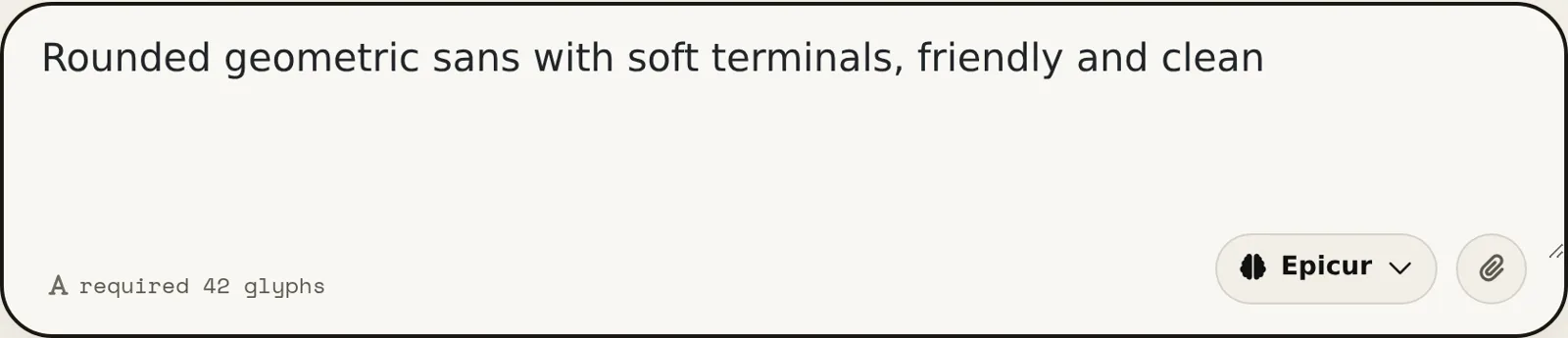
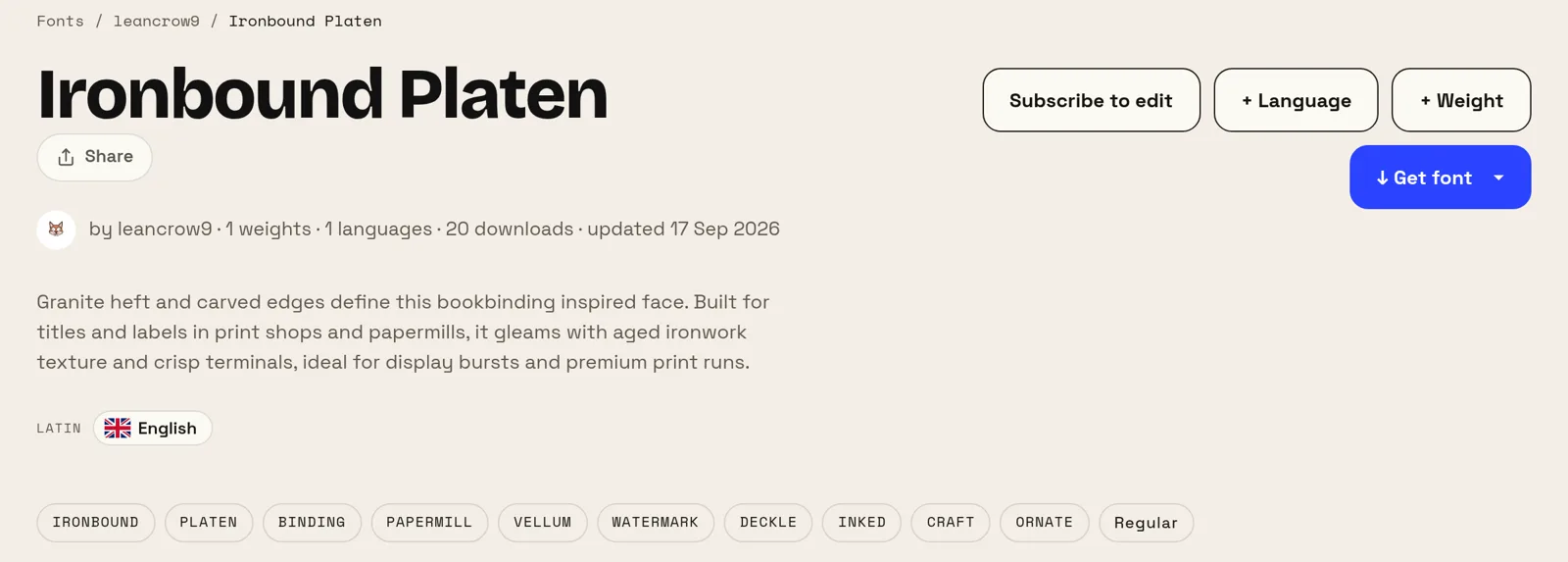
Burada birer cümleyle yapılmış iki font
Aşağıdaki iki istem de yazarların kendi kelimeleri; yalnızca bir yazım hatası düzeltildi. İkisi de ne bir yazı karakteri adı, ne bir ağırlık, ne de bir x-yüksekliği veriyor; her iki font da sitede herkese açık, yani sözümüze güvenmek yerine sonuca kendiniz bakabilirsiniz.
İlkini beş kelime yaptı, ikincisini on üç. İki sonucu ayıran şey istemin uzunluğu değil, neyi adlandırdığı: bir kullanım (notlar, bir TV kanalı) ve bir sıcaklık (sade, sıcak). Fontun ne için olduğunu ve nasıl hissettirmesi gerektiğini söyleyin, terminolojiyi araca bırakın.
Kendi fontunuz hangi durumda zahmetine değer
En net getiriyi küçük markalar alıyor. Bir logo, bir site ve baskı işleri için iyi bir ticari aile lisanslamak her yıl ciddi para demek; alternatif olan ücretsiz bir Google fontu ise rakiplerinizin de kullandığı bir yazı karakteri. Yalnızca sizin için var olan bir font iki sorunu birden ortadan kaldırır.
Bir de paranın çözemediği bir sorunu çözer: kapsam. Ürününüz Rusça, Yunanca ve Japonca konuşuyorsa, üçünü birden eşleşen ailelerle karşılamak hem seyrek hem pahalı. Gerçekten yayın yaptığınız yazı sistemlerinin hepsini tek ailede çizmek, burada satın alması cidden zor olan kısım.
Diğer font oluşturucular
Kiril Çince Japonca Korece İbranice Yunan Hintçe (Devanagari) Çok dilli El yazınızı fonta dönüştürün Görselden font yapın Siteniz için özel bir font Font yapma — dakikalar içinde font oluşturma Yapay zekâ fontlar — metin efekti değil, gerçek yazı tipleri Logo font oluşturucu — logonuzdan eksiksiz bir font Font düzenleyici online — kendi fontunu aç ve değiştir TTF düzenleyici online — .ttf dosyanı aç ve tarayıcıda değiştir OTF düzenleyici online — .otf dosyanı aç ve glifleri düzenle WOFF düzenleyici — önce dönüştürmeden web fontu düzenle WOFF2 düzenleyici — .woff2 dosyanı aç ve tarayıcıda düzelt API / MCP