






Phông đầu tiên miễn phí · Không cần thẻ · TTF/OTF/WOFF/WOFF2
60
languages in one family, across 9 writing systems
< 1 min
from a sentence to installable font files
TTF
plus OTF, WOFF and WOFF2 — real files that work offline
Three ways to start
Say what you want in plain words — “heavy geometric sans with squared corners”. Best when the font exists only in your head.
trình tạo phông chữ AI → 02 Start from a pictureA logo, a poster, a photo of a sign. Best when you have seen the style and want the whole alphabet in it.
Tạo font chữ từ một bức ảnh → 03 Start from your handwritingPhotograph a few lines you wrote. Best when the font has to be unmistakably your own style.
Biến chữ viết tay của bạn thành font →How to create your AI font in 30 seconds
60 ngôn ngữ · 9 hệ chữ viết · một câu mô tả
Tự tạo font chữ của bạn — miễn phí
Mô tả font bạn muốn, hoặc tải ảnh lên. Bạn nhận về file font thật, cài đặt được — không phải bản xem trước.
TTF · OTF · WOFF · WOFF2 Thin · Regular · Bold Chỉnh sửa được mọi ký tự Font đầu tiên miễn phí
Hãy mô tả phông chữ (hoặc đính kèm ảnh mẫu) — trọn bộ phông chữ sẵn sàng trong khoảng một phút. Phông đầu tiên miễn phí.
Tự làm font mà không cần phần mềm thiết kế: mô tả kiểu chữ bạn muốn bằng một câu, hoặc bắt đầu từ một bức ảnh hay chính chữ viết tay của bạn. YoFont vẽ toàn bộ bộ ký tự, tới ba độ đậm và tới 60 ngôn ngữ thuộc 9 hệ chữ viết, rồi trao cho bạn file TTF, OTF, WOFF và WOFF2 thật. Mọi ký tự vẫn chỉnh sửa được trong Studio. Font đầu tiên miễn phí và không cần thẻ.
Thịnh hành tuần này
Cách hoạt động
Một cảm giác, một bản brief hay một ảnh mẫu — nói bằng ngôn ngữ thường là đủ.
Toàn bộ bộ ký tự được vẽ và ráp thành một font chạy được trong khoảng một phút.
Chỉnh bất kỳ ký tự nào trong Studio, rồi tải TTF/OTF/WOFF/WOFF2 hoặc nhúng từ CDN.
Câu hỏi thường gặp
Làm sao tự tạo font chữ miễn phí?
Hãy mô tả nó vào ô phía trên rồi tạo font — font đầu tiên không tốn gì và không ai hỏi thẻ của bạn. Bạn nhận về file TTF, OTF, WOFF và WOFF2 cài đặt được, không phải ảnh chụp chữ.
Tôi có cần biết thiết kế chữ không?
Không. Bạn cần có chính kiến về cảm giác mà font nên mang lại. Bản nháp đến tay bạn đã hoàn chỉnh; việc của bạn là nhận ra chữ nào sai và sửa chúng, và Studio cho phép làm từng ký tự một.
Tôi dùng font của mình cho mục đích thương mại được không?
Được, với giấy phép thương mại — nó bao gồm logo, bao bì, việc làm cho khách hàng và sản phẩm có thu tiền. Dùng cá nhân và phi thương mại thì không cần gì thêm. Bạn nhận file thật, cài được và vẫn chạy khi ngoại tuyến.
Tôi tạo font từ chữ viết tay hay từ ảnh thay thế được không?
Được — cả hai đều là cùng một trình tạo, chỉ thêm một bức ảnh. Hãy chụp vài dòng chữ viết tay, hoặc tải lên một logo hay poster, rồi phong cách đó sẽ được mở rộng thành cả một họ font.
Tôi nhận được những định dạng file nào?
Mọi font đều xuất ra TTF, OTF, WOFF và WOFF2, kèm theo địa chỉ @font-face đặt trên CDN để nhúng vào web.
Tạo font chữ của bạn ngay
Tạo font — miễn phíFont đầu tiên miễn phí · Không cần thẻ · trình tạo phông chữ AI
Cách tự tạo font chữ miễn phí, không cần phần mềm thiết kế
Làm một bộ chữ vốn là nghề học việc dài hơi: vẽ từng chữ, chỉnh khoảng từng cặp, thử ở mọi cỡ. Con đường đó vẫn còn, và vẫn là con đường tốt nhất nếu bạn muốn học nghề thiết kế chữ. Còn nếu bạn chỉ cần một font mà không ai khác có, bốn bước là xong.
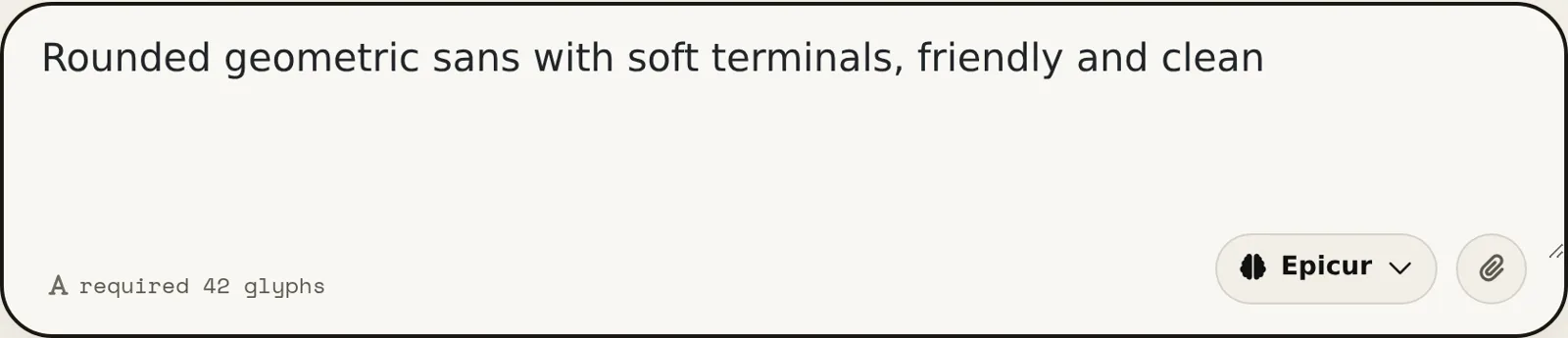
- Nói font nên cho cảm giác gì. Cụ thể ăn đứt bay bổng. “Grotesque nén, nét đậm, đuôi chữ cắt phẳng, giãn cách chặt” cho kết quả sắc hơn hẳn “hiện đại và sạch”, vì mỗi chữ trong đó là một quyết định mà bản nháp làm theo được.
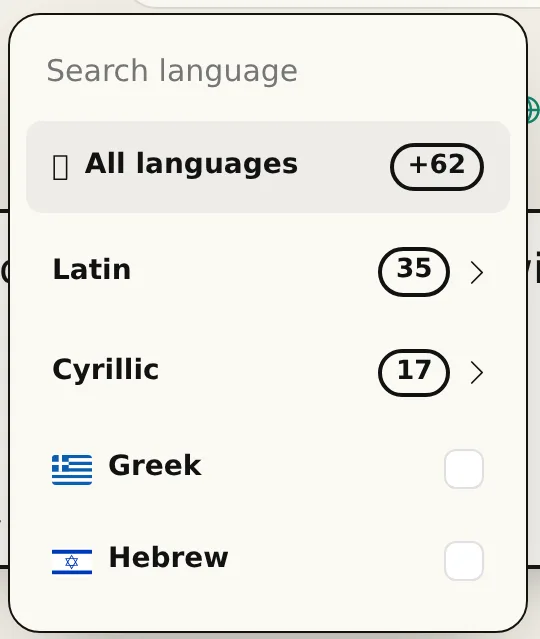
- Chọn ngôn ngữ và độ đậm trước khi sinh. Một họ chữ vẽ Latin và Cyrillic cùng lúc giữ tỷ lệ chắc hơn hẳn kiểu chắp thêm sau. Tối đa ba độ đậm, tối đa 60 ngôn ngữ thuộc 9 hệ chữ viết, trong một lượt.
- Đọc bản nháp, đừng chỉ ngắm. Gõ một câu thật, không phải “ABC”. Vấn đề của bộ chữ nằm ở nhịp giữa các chữ, và một từ bạn dùng hằng ngày sẽ lộ ra nhanh hơn bảng chữ cái xếp theo thứ tự.
- Sửa những chữ làm bạn gợn, rồi xuất file. Mọi glyph đều vẽ lại hoặc sinh lại riêng được. Thứ bạn tải về là một họ font bình thường — TTF, OTF, WOFF và WOFF2 — cài được trên mọi máy và chạy offline mãi mãi.
“Miễn phí” ở đây nghĩa là gì
Font đầu tiên miễn phí, không cần thẻ. Đó là một họ chữ đầy đủ, không đóng watermark, cũng không phải ảnh chụp font: cài file vào và dùng. Phần lớn kết quả tìm “tạo font chữ miễn phí” chẳng cho bạn thứ nào trong hai thứ đó — họ đổ chữ của bạn thành ảnh rồi dừng.
Sau font đầu tiên, bạn mua glyph theo nhu cầu hoặc lấy một gói, thêm giấy phép thương mại nếu font đi vào việc có thu tiền. Câu chuyện giá cả chỉ có thế: không đếm ghế, không hết hạn với file đã tải, và bạn rời đi cũng chẳng có gì ngừng chạy.
Công cụ tạo font so với tự làm bằng tay
Làm tay nghĩa là Glyphs, FontForge hay RoboFont, cộng thêm đống tài liệu phải đọc để dùng cho ra hồn. Một độ đậm phủ chữ hoa, chữ thường, chữ số và dấu câu ngốn cả tuần làm việc tập trung của người đã thạo nghề, và lâu hơn nhiều với người đang học. Thêm Cyrillic hay Hy Lạp nữa thì nhân đôi.
Sinh font đảo ngược phần tốn kém. Bạn khởi đầu từ một họ chữ hoàn chỉnh và tiêu con mắt nghề vào chỗ sai, thay vì tiêu hàng giờ vào chỗ hiển nhiên. Tay nghề không biến mất — kết luận chữ g quá khép vẫn là quyết định của bạn — nhưng bạn ra quyết định đó trong vài phút, chứ không phải sau ba lần vẽ lại.
YoFont, Calligraphr hay FontStruct: chọn cái nào
Cùng một truy vấn, ba công việc khác nhau. Calligraphr biến chữ viết tay của bạn thành font qua mẫu in ra để điền, quét rồi tải lên. FontStruct xếp chữ từ những viên gạch trên lưới. YoFont phác cả họ chữ từ một câu hoặc một tấm ảnh, đủ ngôn ngữ và độ đậm bạn yêu cầu, rồi giao cho bạn một studio để sửa từng chữ. Bảng dưới cho thấy mỗi bên dừng ở đâu.
| YoFont | Calligraphr | FontStruct | |
|---|---|---|---|
| Điểm xuất phát | Một câu, một tấm ảnh hoặc chữ viết tay | Mẫu in điền tay | Gạch xếp trên lưới |
| Có phải tự vẽ không | Không. Muốn thì sửa từng chữ | Có, từng ký tự | Có, từng ký tự |
| Ngôn ngữ trong một lượt | 60 ngôn ngữ, 9 hệ chữ viết | Tùy bạn vẽ được bao nhiêu | Tùy bạn xếp được bao nhiêu |
| Độ đậm | Thin, Regular và Bold từ một mô tả | Mỗi mẫu một độ đậm | Mỗi bản dựng một độ đậm |
| File xuất ra | TTF, OTF, WOFF và WOFF2, kèm link CDN | TTF và OTF | TTF |
| Hợp nhất với | Font thương hiệu, họ chữ đa ngôn ngữ, phong cách tả được hoặc đưa ảnh được | Font từ nét chữ của chính bạn, khi bạn thích ngồi vẽ | Chữ pixel và chữ trình bày dạng mô-đun |
Hai font làm ở đây, mỗi font từ một câu
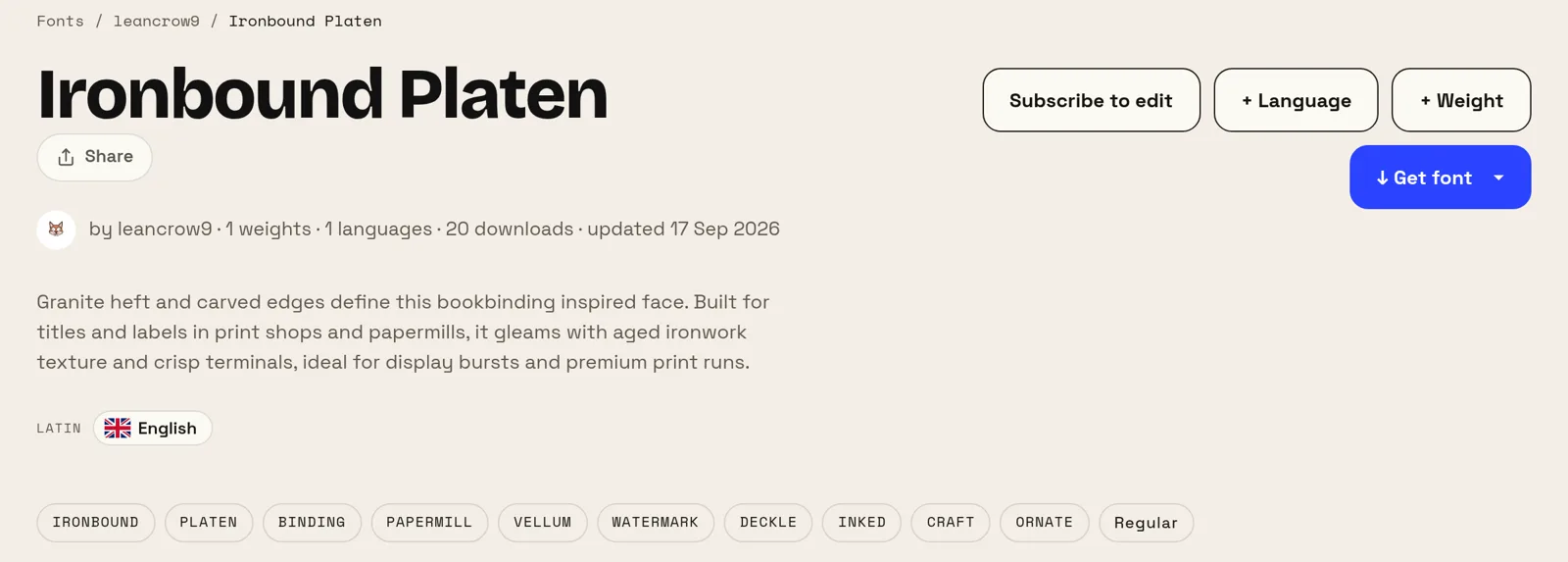
Cả hai mô tả dưới đây đều là nguyên văn của tác giả, chỉ sửa một lỗi gõ. Không câu nào gọi tên một bộ chữ, một độ đậm hay chiều cao chữ thường, và cả hai font đều công khai trên site, nên bạn tự chấm kết quả thay vì tin lời chúng tôi.
Năm chữ làm ra font thứ nhất, mười ba chữ làm ra font thứ hai. Thứ tách hai kết quả không phải độ dài của mô tả mà là những gì nó gọi tên: một công dụng (ghi chú, một kênh truyền hình) và một nhiệt độ (đơn giản, ấm). Hãy nói font dùng để làm gì và nên cho cảm giác ra sao, còn thuật ngữ cứ để công cụ lo.
Khi nào tự làm font là đáng công
Thương hiệu nhỏ lời rõ nhất. Mua giấy phép một họ chữ thương mại tử tế cho logo, website và bản in ngốn tiền thật mỗi năm, còn phương án thay thế — một font Google miễn phí — lại là bộ chữ mà đối thủ của bạn cũng đang dùng. Một font chỉ tồn tại cho riêng bạn xóa cả hai vấn đề cùng lúc.
Nó còn giải được thứ tiền không mua nổi: độ phủ. Nếu sản phẩm của bạn nói tiếng Nga, tiếng Hy Lạp và tiếng Nhật, những họ chữ khớp nhau trên cả ba vừa hiếm vừa đắt. Vẽ một họ chữ chạy xuyên đúng những hệ chữ bạn thật sự phát hành mới là phần khó mua được bằng tiền.
Thêm trình tạo font khác
Kirin Trung Quốc Nhật Bản Hàn Quốc Do Thái Hy Lạp Hindi (Devanagari) Đa ngôn ngữ Biến chữ viết tay của bạn thành font Tạo font chữ từ một bức ảnh Một font riêng cho website của bạn Công cụ tạo phông chữ trong vài phút Font chữ AI — bộ font thật, không phải hiệu ứng chữ Trình tạo font từ logo — cả một bộ font từ logo của bạn Trình chỉnh sửa font online — mở font của chính bạn và thay đổi nó Chỉnh sửa TTF online — mở file .ttf và sửa ngay trên trình duyệt Chỉnh sửa OTF online — mở file .otf và sửa các ký tự Sửa file WOFF — chỉnh sửa font web mà không cần chuyển đổi trước Sửa file WOFF2 — mở file .woff2 và sửa ngay trên trình duyệt API / MCP