






Första teckensnittet gratis · Inget kort · TTF/OTF/WOFF/WOFF2
60
languages in one family, across 9 writing systems
< 1 min
from a sentence to installable font files
TTF
plus OTF, WOFF and WOFF2 — real files that work offline
Three ways to start
Say what you want in plain words — “heavy geometric sans with squared corners”. Best when the font exists only in your head.
AI typsnitt generator → 02 Start from a pictureA logo, a poster, a photo of a sign. Best when you have seen the style and want the whole alphabet in it.
Skapa ett typsnitt från en bild → 03 Start from your handwritingPhotograph a few lines you wrote. Best when the font has to be unmistakably your own style.
Gör din handstil till ett typsnitt →How to create your AI font in 30 seconds
60 språk · 9 skriftsystem · en mening
Skapa ett eget typsnitt — gratis
Beskriv teckensnittet du vill ha, eller ladda upp en bild. Du får riktiga, installerbara teckensnittsfiler — inte en förhandsvisning.
TTF · OTF · WOFF · WOFF2 Thin · Regular · Bold Varje glyf redigerbar Första teckensnittet gratis
Beskriv teckensnittet (eller bifoga en referensbild) — hela typsnittet är klart på ungefär en minut. Första teckensnittet gratis.
Gör ditt eget typsnitt utan designprogram: beskriv teckensnittet du vill ha i en mening, eller utgå från en bild eller din egen handstil. YoFont ritar hela teckenuppsättningen, upp till tre vikter och upp till 60 språk över 9 skriftsystem, och lämnar över riktiga TTF-, OTF-, WOFF- och WOFF2-filer. Varje glyf går att redigera i Studio. Det första teckensnittet är gratis och kräver inget kort.
Trendar den här veckan
Bläddra bland alla teckensnitt →
Så fungerar det
En känsla, en brief eller en referensbild — vanlig svenska räcker.
Hela teckenuppsättningen ritas och sätts samman till ett fungerande teckensnitt på ungefär en minut.
Justera valfri glyf i Studio och ladda sedan ner TTF/OTF/WOFF/WOFF2 eller bädda in från CDN.
Vanliga frågor
Hur skapar jag ett eget typsnitt gratis?
Beskriv det i rutan ovan och generera — det första teckensnittet kostar ingenting och inget kort efterfrågas. Du får installerbara TTF-, OTF-, WOFF- och WOFF2-filer, inte en bild av text.
Måste jag kunna typsnittsdesign?
Nej. Du behöver en åsikt om hur teckensnittet ska kännas. Utkastet kommer färdigt; din uppgift är att se vilka bokstäver som är fel och rätta just dem, vilket Studio låter dig göra en glyf i taget.
Får jag använda mitt teckensnitt kommersiellt?
Ja, med en kommersiell licens — den täcker logotyper, förpackningar, kunduppdrag och betalda produkter. Privat och icke-kommersiell användning kräver inget extra. Du får riktiga filer som installeras och fortsätter fungera offline.
Kan jag i stället skapa ett teckensnitt från min handstil eller en bild?
Ja — båda är samma generator med en bild bifogad. Fotografera några rader av din handstil, eller ladda upp en logotyp eller affisch, så utvidgas stilen till en komplett familj.
Vilka filformat får jag?
Varje teckensnitt exporteras som TTF, OTF, WOFF och WOFF2, plus @font-face-adresser på CDN för webben.
Skapa ditt typsnitt nu
Skapa typsnitt — gratisFörsta teckensnittet gratis · Inget kort · AI typsnitt generator
Så gör du ett eget typsnitt gratis, utan designprogram
Att rita ett typsnitt var förr ett hantverk med lång lärotid: rita varje bokstav, spärra varje par, testa i varje grad. Den vägen finns kvar och är fortfarande den bästa om det är typsnittsdesign du vill lära dig. Behöver du bara ett typsnitt som ingen annan har räcker fyra steg.
- Säg hur det ska kännas. Konkret slår poetiskt. ”Smal grotesk, fet, raka avslut, tät spärrning” ger ett skarpare resultat än ”modernt och rent”, eftersom vart och ett av orden är ett beslut som utkastet kan agera på.
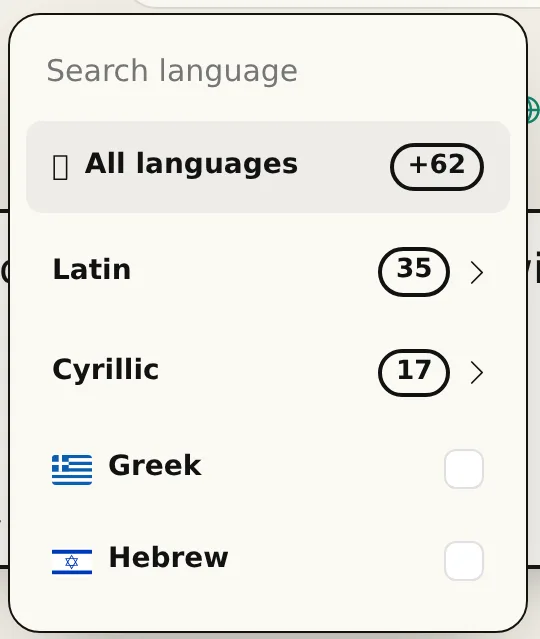
- Välj språk och vikter innan du genererar. En familj som ritats för latin och kyrilliska samtidigt håller proportionerna bättre än en där det ena skruvats på i efterhand. Upp till tre vikter, upp till 60 språk över 9 skriftsystem, i en enda omgång.
- Läs utkastet, titta inte bara på det. Skriv en riktig mening, inte ”ABC”. Problemen i ett typsnitt bor i rytmen mellan bokstäverna, och ett ord du faktiskt använder visar dem snabbare än alfabetet i ordning.
- Rätta bokstäverna som stör dig, exportera sedan. Varje tecken kan ritas om eller genereras om för sig. Det du laddar ned är en helt vanlig typsnittsfamilj — TTF, OTF, WOFF och WOFF2 — som installeras på vilken dator som helst och fungerar offline för alltid.
Vad ”gratis” betyder här
Första typsnittet är gratis och kräver inget kort. Det är en komplett familj, inte en vattenstämplad smakbit och inte en bild av ett typsnitt: installera filerna och använd dem. De flesta träffar på ”free custom font generator” är varken eller — de renderar din text som en bild och stannar där.
Efter det första köper du tecken när du behöver dem eller tecknar ett abonnemang, plus en kommersiell licens om typsnittet går in i betalt arbete. Det är hela prishistorien; ingen licensräkning per användare, inget utgångsdatum på filer du redan hämtat, och inget slutar fungera om du lämnar.
Typsnittsverktyg mot att göra det för hand
För hand betyder Glyphs, FontForge eller RoboFont, plus läsningen som krävs för att använda dem väl. En enda vikt med versaler, gemener, siffror och skiljetecken är en veckas koncentrerat arbete för någon som redan kan sitt hantverk, och betydligt längre för någon som lär sig. Lägg till kyrilliska eller grekiska så dubblas det.
Generering vänder på vad som kostar. Du börjar från en färdig familj och lägger ditt omdöme på det som är fel i stället för dina timmar på det som är självklart. Hantverket försvinner inte — att avgöra att g:et är för slutet är fortfarande ditt beslut — men du fattar det på minuter i stället för efter att ha ritat bokstaven tre gånger.
YoFont, Calligraphr eller FontStruct: vilket passar
Samma sökning, tre olika jobb. Calligraphr gör din handstil till ett typsnitt via utskrivna mallar som du fyller i, skannar och laddar upp. FontStruct bygger bokstäver av klossar på ett rutnät. YoFont ritar hela familjen utifrån en mening eller en bild, i alla språk och vikter du ber om, och ger dig sedan en studio för att rätta enskilda bokstäver. Tabellen visar var respektive verktyg tar slut.
| YoFont | Calligraphr | FontStruct | |
|---|---|---|---|
| Utgångspunkt | En mening, en bild eller din handstil | En utskriven mall du fyller i för hand | Klossar du placerar på ett rutnät |
| Kräver ritande | Nej. Rätta enskilda bokstäver om du vill | Ja, varje tecken | Ja, varje tecken |
| Språk i en omgång | 60 språk, 9 skriftsystem | Det du ritar själv | Det du bygger själv |
| Vikter | Thin, Regular och Bold från en prompt | En per mall | En per bygge |
| Utdata | TTF, OTF, WOFF och WOFF2, plus en CDN-länk | TTF och OTF | TTF |
| Bäst för | Ett varumärkessnitt, en flerspråkig familj, en stil du kan beskriva eller visa | Ett typsnitt av din handstil när du gillar att rita | Pixel- och modulbaserade displaysnitt |
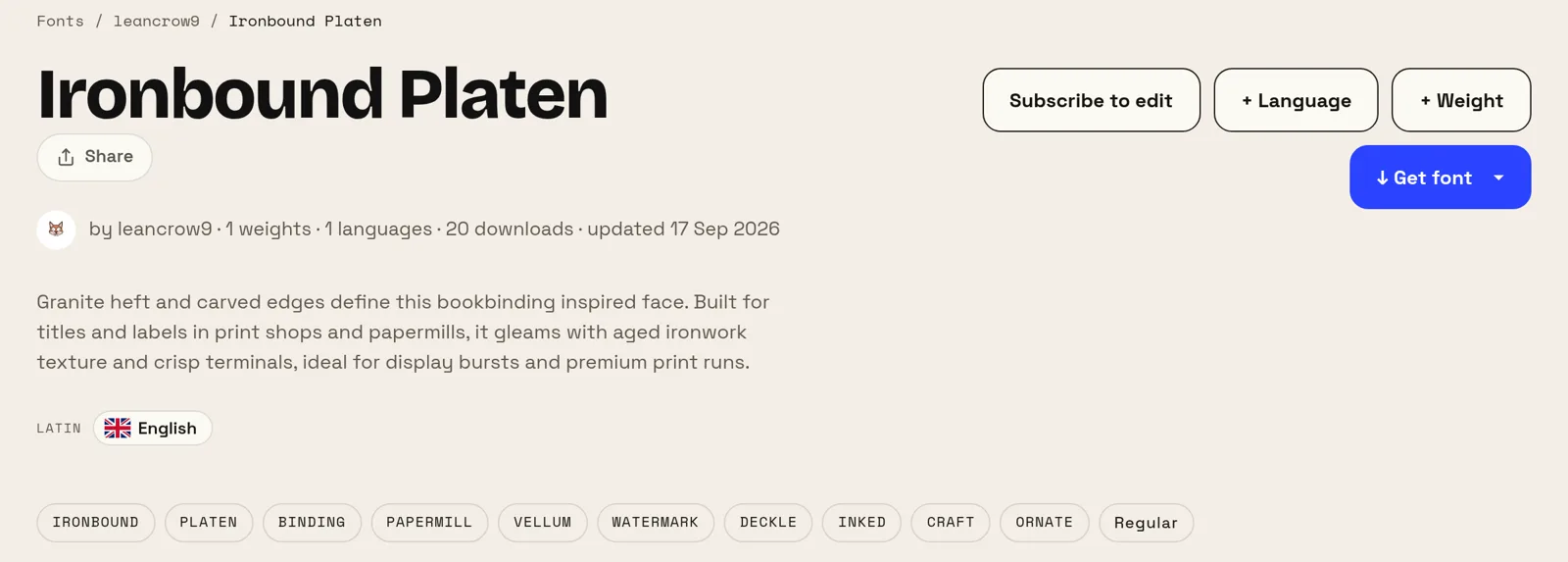
Två typsnitt gjorda här på en mening var
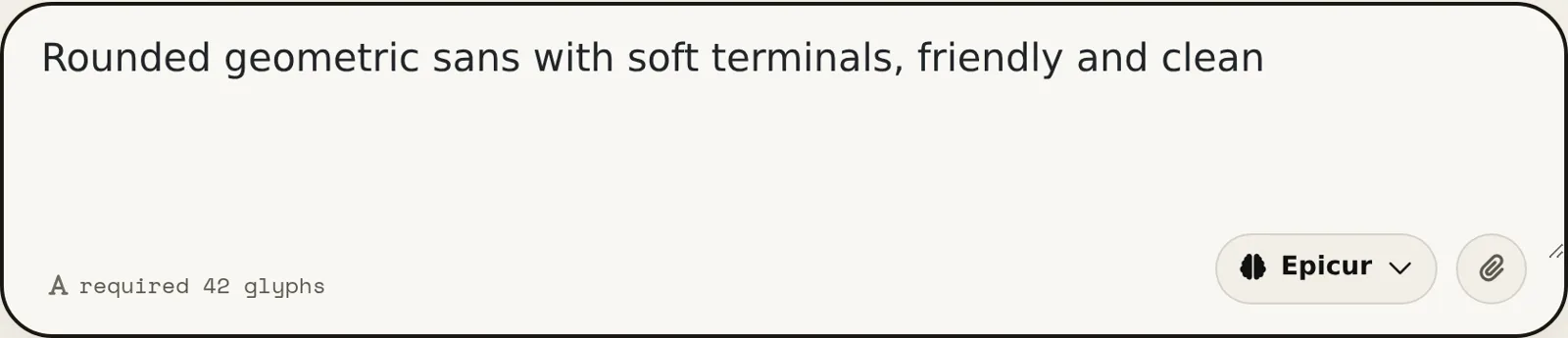
Båda prompterna nedan är upphovspersonernas egna ord, med ett stavfel rättat. Ingen nämner ett typsnitt, en vikt eller en x-höjd, och båda typsnitten ligger publikt på sajten, så du kan bedöma resultatet själv i stället för att ta oss på orden.
Fem ord gjorde det första, fjorton det andra. Det som skiljer resultaten åt är inte promptens längd utan vad den pekar ut: en användning (anteckningar, en tv-kanal) och en temperatur (enkelt, varmt). Säg vad typsnittet ska göra och hur det ska kännas, och lämna terminologin till verktyget.
När ett eget typsnitt är värt besväret
Små varumärken får tydligast utdelning. Att licensiera en bra kommersiell familj för en logotyp, en sajt och tryck kostar riktiga pengar varje år, och alternativet — ett gratis Google-typsnitt — är ett snitt som dina konkurrenter också använder. Ett typsnitt som bara finns för dig löser båda sakerna på en gång.
Det löser också något pengar inte kan: täckning. Talar din produkt ryska, grekiska och japanska är matchande familjer över alla tre sällsynta och dyra. Att rita en familj över de skriftsystem du faktiskt levererar i är den del av det här som är svår att köpa.
Fler typsnittsgeneratorer
Kyrilliska Kinesiska Japanska Koreanska Hebreiska Grekiska Hindi (devanagari) Flerspråkig Gör din handstil till ett typsnitt Skapa ett typsnitt från en bild Ett eget typsnitt till din webbplats Typsnitt generator — skapa typsnitt på minuter AI typsnitt — riktiga teckensnitt, inte texteffekter Logotyp till typsnitt — ett helt teckensnitt från din logotyp Typsnittsredigerare online — öppna ditt eget typsnitt och ändra det TTF-redigerare online — öppna en .ttf och ändra den i webbläsaren OTF-redigerare online — öppna en .otf och redigera dess glyfer WOFF-redigerare — redigera en webbfont utan att konvertera den först WOFF2-redigerare — öppna en .woff2 och rätta den i webbläsaren API / MCP