



首套字体免费 · 无需信用卡 · TTF/OTF/WOFF/WOFF2
How to create your AI font in 30 seconds
TTF · OTF · WOFF · WOFF2 Thin · Regular · Bold 每个字形可编辑 首个字体免费
描述你想要的字体(或上传参考图)——完整字体约一分钟就绪。首套免费。
AI 字体 — 真正的字体,而非文字特效
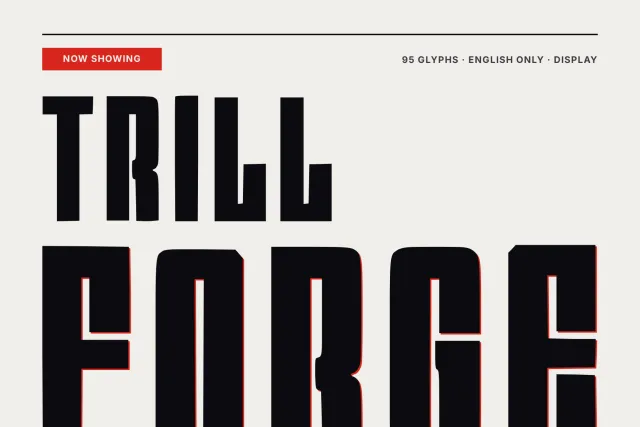
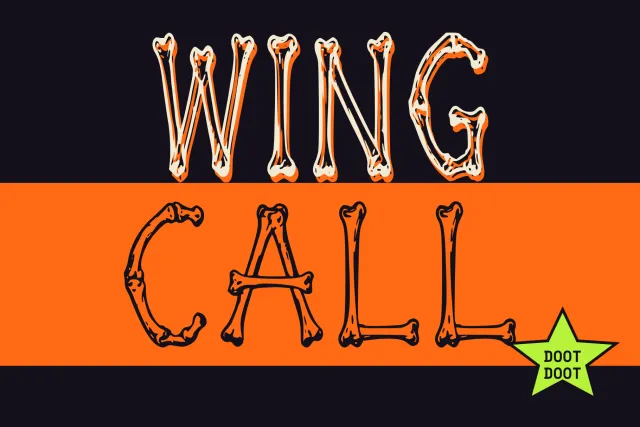
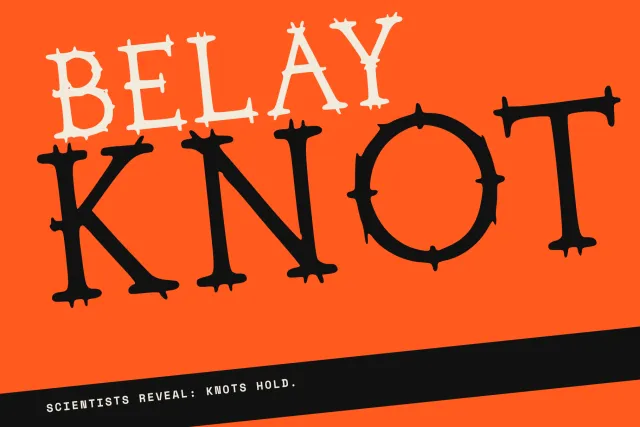
网上多数“AI 字体”只是粘贴到简介里的 Unicode 小把戏。这里是真正的字体文件:由 AI 绘制的完整字符集,可安装到任何系统,在 Figma、Canva、Word 或你的网站中使用。看看别人做了什么,或描述你自己的,几分钟即可获得 — 最多三种字重、60 种语言。
本周热门
工作原理
一种感觉、一份简报或一张参考图 — 简单的语言就够了。
完整字符集在大约一分钟内绘制并组装成可用字体。
在工作室中调整任意字形,然后下载 TTF/OTF/WOFF/WOFF2 或从 CDN 嵌入。
常见问题
什么是 AI 字体?
字形由生成模型根据描述或参考图绘制,再组装成带真实字距和 OpenType 特性的标准字体文件。它像任何字体一样安装和使用。
AI 字体免费吗?
你生成的首款字体可免费个人使用。其他作者发布的字体需订阅下载;作者字体的商业使用需要授权,大部分收入归作者。
生成后能编辑 AI 字体吗?
可以 — 每个字形都能在 Studio 中打开,重新生成、替换或手动修正单个字符,而不影响家族其余部分。
AI 字体支持英文以外的语言吗?
YoFont 一次绘制 9 种文字体系下的 60 种语言,同一风格覆盖拉丁、西里尔、希腊、希伯来、希伯来、印地、中文、日文和韩文。
我会得到哪些文件格式?
每个字体都导出为 TTF、OTF、WOFF 和 WOFF2,并提供 CDN 托管的 @font-face 链接用于网页嵌入。
AI 字体到底是怎么画出来的
字形先由生成模型画出来——依据一句描述,或你上传的参考图。可它交出的是一张图,图不是字体。真正费力的一半在后面:每个字形都要转成轮廓,落到同一条基线上,量出字宽和左右边距,再放回整套字母里比对,看节奏还稳不稳。
随后整个家族被打包成标准字体文件,带上字距对和 OpenType 特性,也包括排版引擎所需的语言标签。装进系统后,它和你买过的任何一款字体没有区别——走到你桌面这一步,AI 的痕迹早已看不见了。
网上多数「AI 字体」并不是字体
搜 AI 字体,出来的大多是让你复制的花式文本:𝓬𝓾𝓻𝓼𝓲𝓿𝓮、𝕕𝕠𝕦𝕓𝕝𝕖-𝕤𝕥𝕣𝕦𝕔𝕜、气泡字。它们是早就存在的 Unicode 字符,多半属于数学字母数字符号,没有任何模型参与。贴进个人简介可以,屏幕阅读器会读乱,装不进系统,也没法拿去印刷。
另一类常见做法,是把你的文字渲染成一张带效果的图片。做封面图挺好用,当字体就完全不行:改一个词就得从头再来。这两类工具本身没问题,只是人们说「我想要 AI 字体」时,问的根本不是它们回答的那个问题。
拿到生成的字体家族,先看哪几处
- 打一句真话。 别按字母表顺序排。字体的毛病都藏在字母之间,普通句子暴露间距不匀的速度,比 ABCDEF 快得多。
- 翻翻那些没人看的字符。 数字、逗号、引号、你常用的货币符号。生成出来的家族往往在大标题字母上很唬人,一到没人预览过的标点就露馅。
- 试试你这门语言的重音符。 一款只管英文、碰到 ü、ł 或 ř 就崩的字体,等于没覆盖你的市场。问题通常最先出现在带上标符号的窄字母上。
- 缩到小字号看。 展示字体在 72 px 下个个自我感觉良好。要是这款字得进正文段落,就在段落里判它的生死。
授权:AI 生成的字体归谁
你在这里生成的字体,随你怎么用。是留作私有还是放进公开目录由你定;商用——标志、包装、客户项目、产品——走的是授权,而不是按展示次数计费。已经下载的文件会一直可用,之后你的账号怎么处置都不影响它。
别人发布的字体则反过来:下载要订阅,商用要买授权,而这笔钱大头归做字的人。这就是交换条件——目录值得逛,正因为填满它的人在你用他们作品时能拿到钱。
更多字体生成器
西里尔文 中文 日文 韩文 希伯来文 希腊文 印地文(天城体) 多语言 把你的字迹做成字体 用图片生成字体 为你的网站定制字体 做一套自己的字体 — 免费 字体制作器 — 几分钟做出一款字体 Logo 字体生成器 — 从你的 Logo 得到一整套字体 字体编辑器在线版 — 打开你自己的字体并修改它 TTF字体编辑器在线版 — 打开.ttf,在浏览器里修改 OTF字体编辑器在线版 — 打开.otf,修改它的字形 WOFF编辑器 — 无需先转换,直接编辑网页字体 WOFF2编辑器 — 打开.woff2,在浏览器里修正 API / MCP