



首套字体免费 · 无需信用卡 · TTF/OTF/WOFF/WOFF2
How to create your AI font in 30 seconds
TTF · OTF · WOFF · WOFF2 Thin · Regular · Bold 每个字形可编辑 首个字体免费
描述你想要的字体(或上传参考图)——完整字体约一分钟就绪。首套免费。
字体制作器 — 几分钟做出一款字体
绘制交给 AI:写下你想要的字体气质,或上传一张图片,YoFont 就会画出完整字符集 — 最多三种字重、9 种文字体系下的 60 种语言。你得到的是真正的 TTF、OTF、WOFF、WOFF2 文件,每个字形都可在 Studio 中编辑。
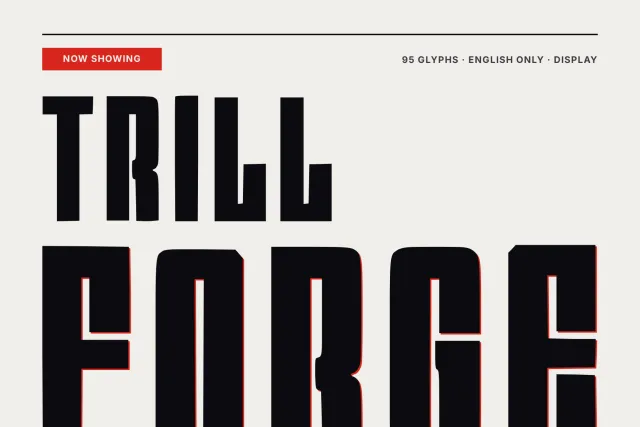
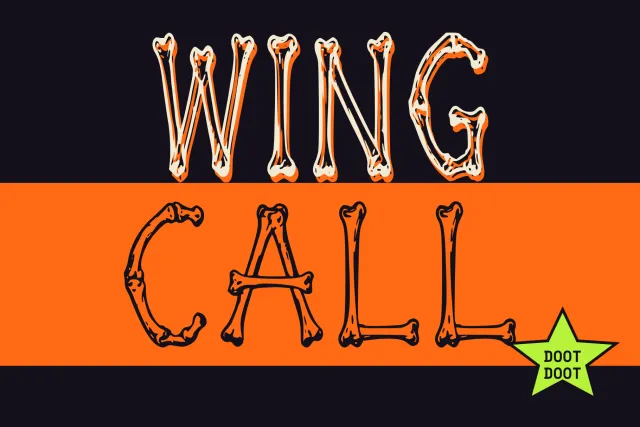
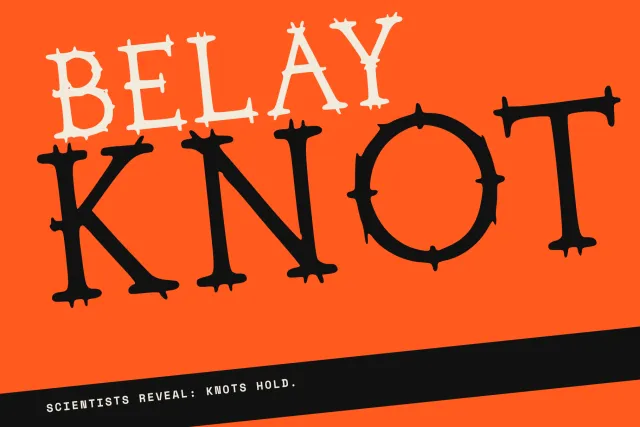
本周热门
工作原理
一种感觉、一份简报或一张参考图 — 简单的语言就够了。
完整字符集在大约一分钟内绘制并组装成可用字体。
在工作室中调整任意字形,然后下载 TTF/OTF/WOFF/WOFF2 或从 CDN 嵌入。
常见问题
这个字体制作器免费吗?
首款字体免费,无需银行卡。以可安装的 TTF、OTF、WOFF、WOFF2 文件交付。付费方案增加每月字形数、更多字重和商业授权。
AI 字体制作器与字体编辑器有何不同?
编辑器只给你一张空白网格和一支笔。YoFont 先画出整个家族 — 字母、数字、标点、重音、字重 — 再把编辑器交给你修改不满意的地方。你从一款完成的字体出发,而不是从零开始。
能用我的手写或 Logo 制作字体吗?
可以。附上几行手写照片、Logo 或海报,制作器会把这种风格扩展为带匹配字重的完整字符集。
字体制作器支持哪些语言?
9 种文字体系下的 60 种语言 — 拉丁、西里尔、希腊、希伯来、希伯来、天城文、中文、日文、韩文 — 一次生成,风格统一。
Can I use it as a TTF or OTF maker?
Yes. Every family exports as TTF, OTF, WOFF and WOFF2 at once, so whichever format your tool asks for, it is already in the download.
我会得到哪些文件格式?
每个字体都导出为 TTF、OTF、WOFF 和 WOFF2,并提供 CDN 托管的 @font-face 链接用于网页嵌入。
在线做一款字体,一步一步来
字体制作器不是字体编辑器。编辑器递给你一张空网格和一支笔;制作器递给你一套成品家族,让你挑它的毛病。这个差别决定了活要干多久——是几分钟还是几周——也解释了为什么下面的步骤是从结尾往回走的。
- 描述气质,别描述形状。 用一句话写清这款字要干什么:「给儿童 App 的亲和的圆润无衬线」「用于包装的窄身工业感哥特无衬线」。点明用途,比报一个你只记得半截的字体名管用得多。
- 或者从一张图起手。 手写字照片、标志、海报——只要里面有字形就行。制作器从你上传的东西里读出字重、对比和节奏,再把这套风格延伸到图里从未出现的字符上。
- 字重和语言要一开始就定。 Thin、Regular 和 Bold 一起画出来才是一家人;后补上去的会走形。跨书写系统同理——拉丁和西里尔一轮画完,比例能守住,分两轮就很难。
- 先修,再导出。 打一句真话,看的是节奏,不是单个字母。哪里不顺眼,就按字形重新生成或手工修,下载下来的是 TTF、OTF、WOFF 和 WOFF2,装进系统和别的字体一样用。
font maker、font creator、font generator——有区别吗?
在搜索框里这三个词是一回事,可在网上它们通向两种截然不同的产品。标着「font generator」的结果,大多是把你的文字换成长得像字体的 Unicode 符号,供你粘进个人简介。什么都没被创造出来:那些字符本来就写在标准里,你既装不上,也没法在文档里用。
真正的制作器输出的是字体文件。检验办法很简单——如果结果装不进系统,在 Word、Figma 或 CSS 里选不到,那就没做出字体。这个页面上的东西产出的都是可安装文件,这也是它要花上一分钟、而不是一瞬间的原因。
一套生成的家族里到底装了什么
字母是看得见的部分,也是最小的麻烦。一款能用的字体还得有数字、标点、它宣称支持的每种语言的重音符、在正文字号下站得住的间距,以及让排版引擎干活的 OpenType 特性——没有语言标签,浏览器一个特性都不会启用,天城文会直接散架。
这些都替你画好、组装好了,最多覆盖 60 种语言、9 种书写系统。留给你的是需要判断力的那部分:哪个字母不对,以及整段用你自己的话读起来顺不顺。
什么时候做字体比买字体划算
需要一款久经检验、经得起长时间阅读的正文字体,且授权费掏得起,那就买。做字体赢在三点:别人没有;没有按席位或按展示次数计的授权要盯着;覆盖面由你说了算——一套横跨拉丁、西里尔和中日韩还能对得上的家族,市面上少见,有也贵。
第一款字体不花钱,所以这个比较试起来很便宜:做一款,装上,用它排你自己的文字,再跟你原本打算买授权的那款比。
更多字体生成器
西里尔文 中文 日文 韩文 希伯来文 希腊文 印地文(天城体) 多语言 把你的字迹做成字体 用图片生成字体 为你的网站定制字体 做一套自己的字体 — 免费 AI 字体 — 真正的字体,而非文字特效 Logo 字体生成器 — 从你的 Logo 得到一整套字体 字体编辑器在线版 — 打开你自己的字体并修改它 TTF字体编辑器在线版 — 打开.ttf,在浏览器里修改 OTF字体编辑器在线版 — 打开.otf,修改它的字形 WOFF编辑器 — 无需先转换,直接编辑网页字体 WOFF2编辑器 — 打开.woff2,在浏览器里修正 API / MCP